
.svg)

As a business owner, it’s important for me to prioritize the safety of sensitive client information that is shared with me. Finding a product like Redactable is a game changer in the legal and insurance industry! It will give you peace of mind knowing that you are safeguarding client information while saving time during your busy workday. It’s a win-win, and I highly recommend Redactable!
Precise Manual Redaction On Documents Where You Need It
Redactable gives you direct control over every redaction. Manually highlight text, assign a reason, and finalize only when you're ready.



Manual Redaction Features At A Glance

Select any text in a document and mark it for redaction in seconds
.svg)
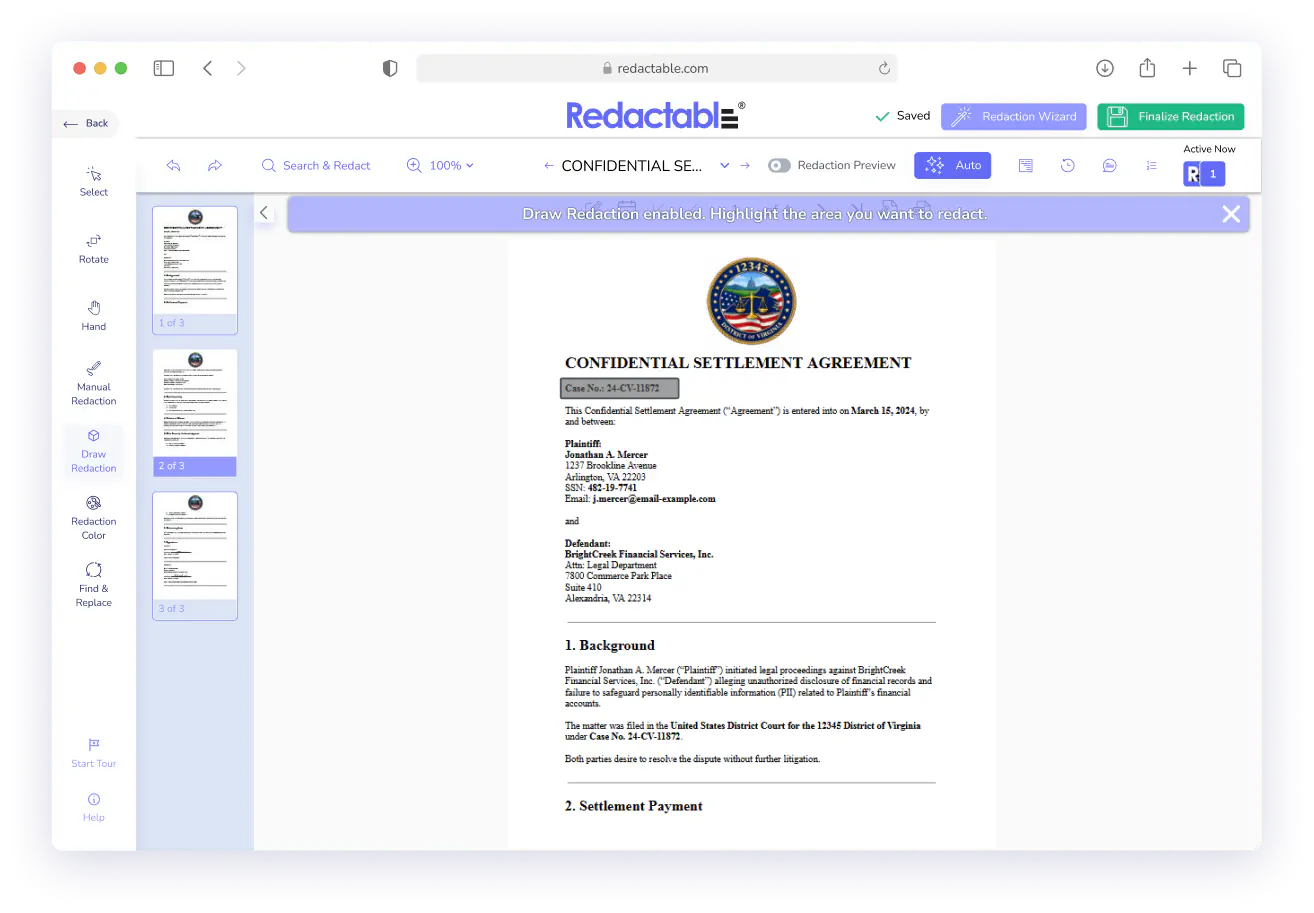
Draw a redaction box over any area
Adjust or remove redactions at any point before you finalize

Access the tool from the Redaction Wizard or the editor toolbar
No automation required.
Images, tables, signatures, charts, and more.
Nothing is permanent until you say so.
Works with however your review process is structured.
Key Features
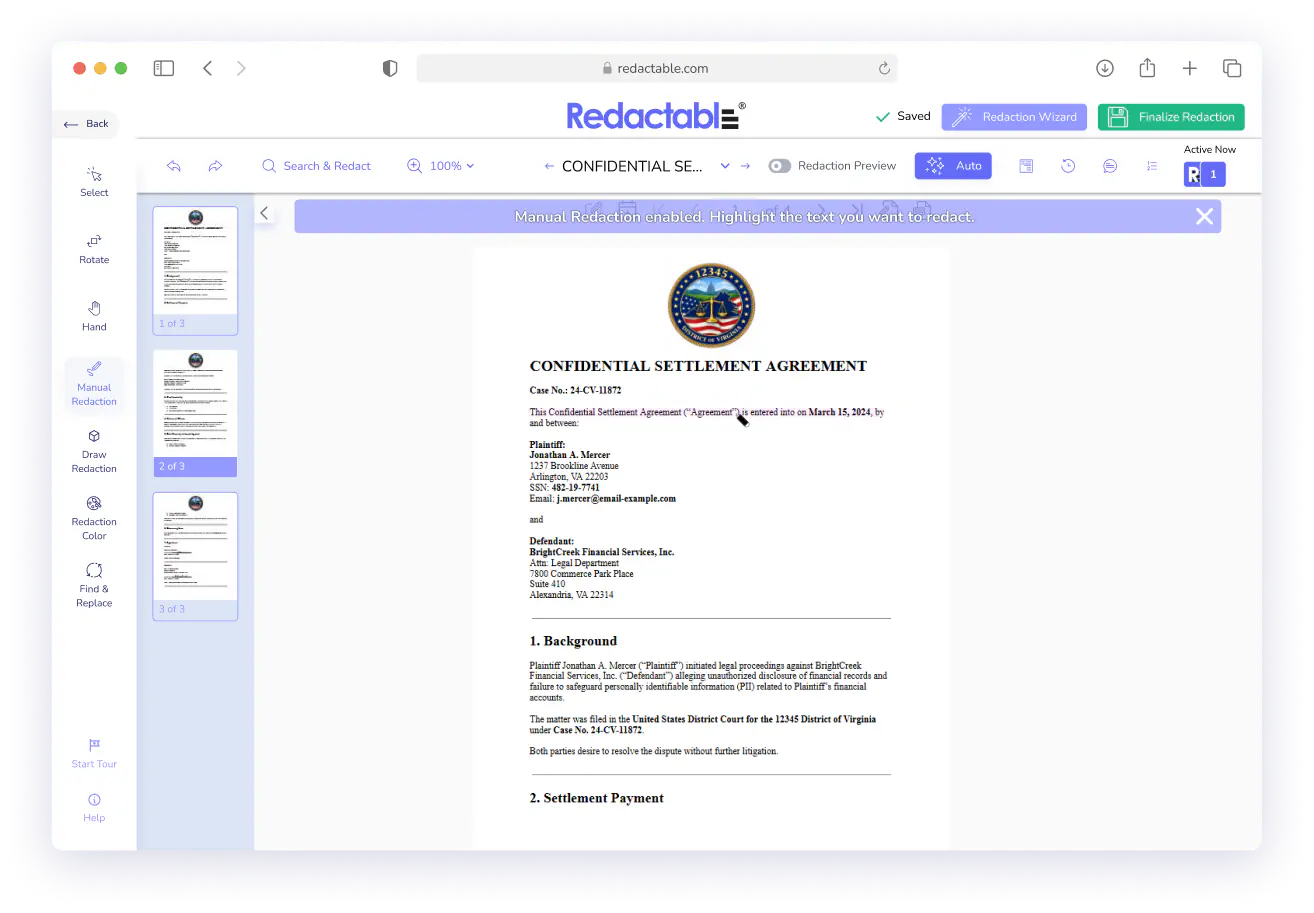
Select Text and Redact It Directly
Click and drag to highlight any text in your document that you want hidden. Redactable marks it for redaction immediately without switching tools or adding steps. The entire process happens inside the document editor.
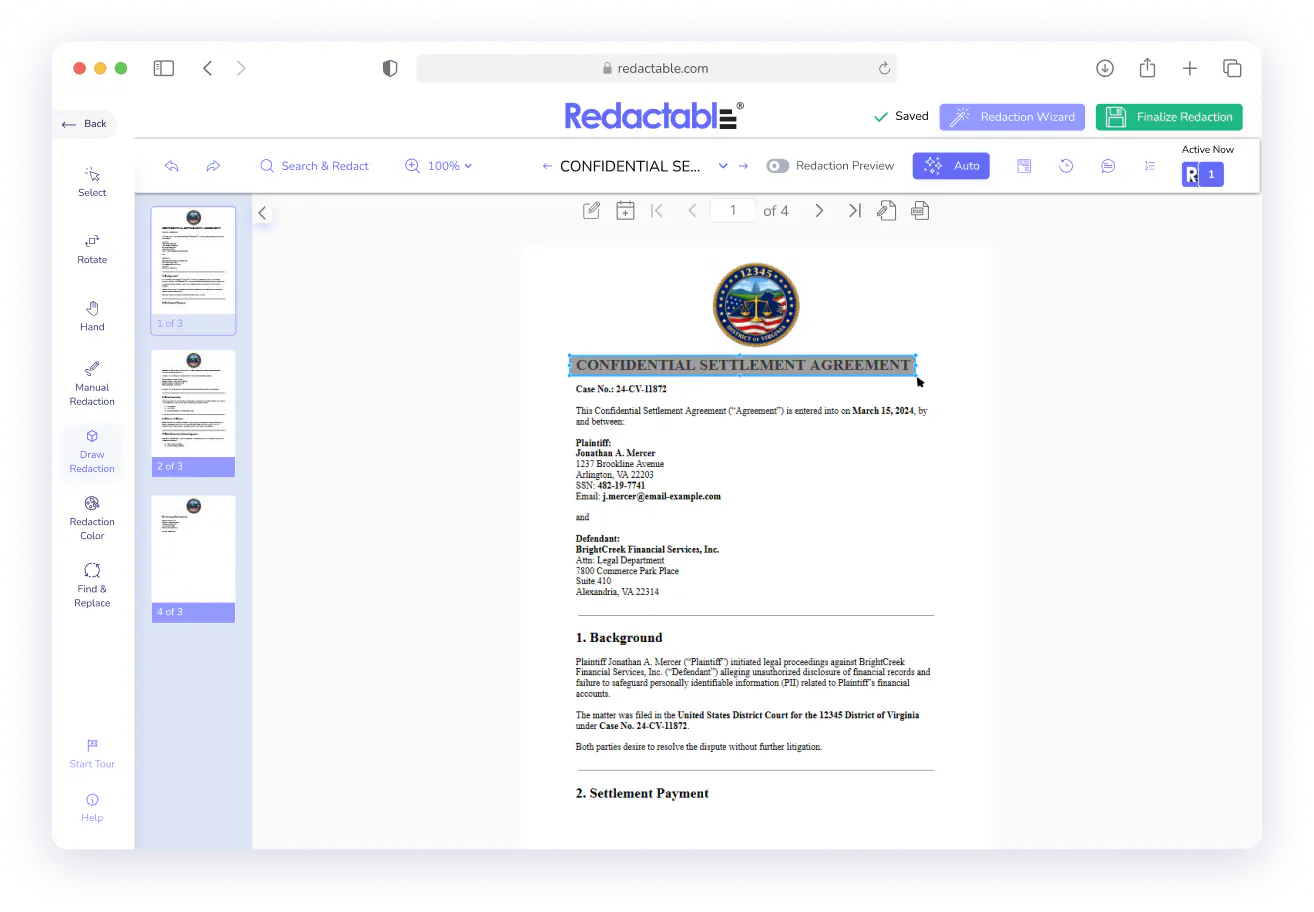
Draw a Redaction Box Over Any Area
The Draw Redaction tool lets you click and drag a box over any part of a document, including images, logos, charts, tables, signatures, handwritten notes, or any section that automated detection won't catch. Resize or reposition the box after placing it. You can also use it to redact an entire page.
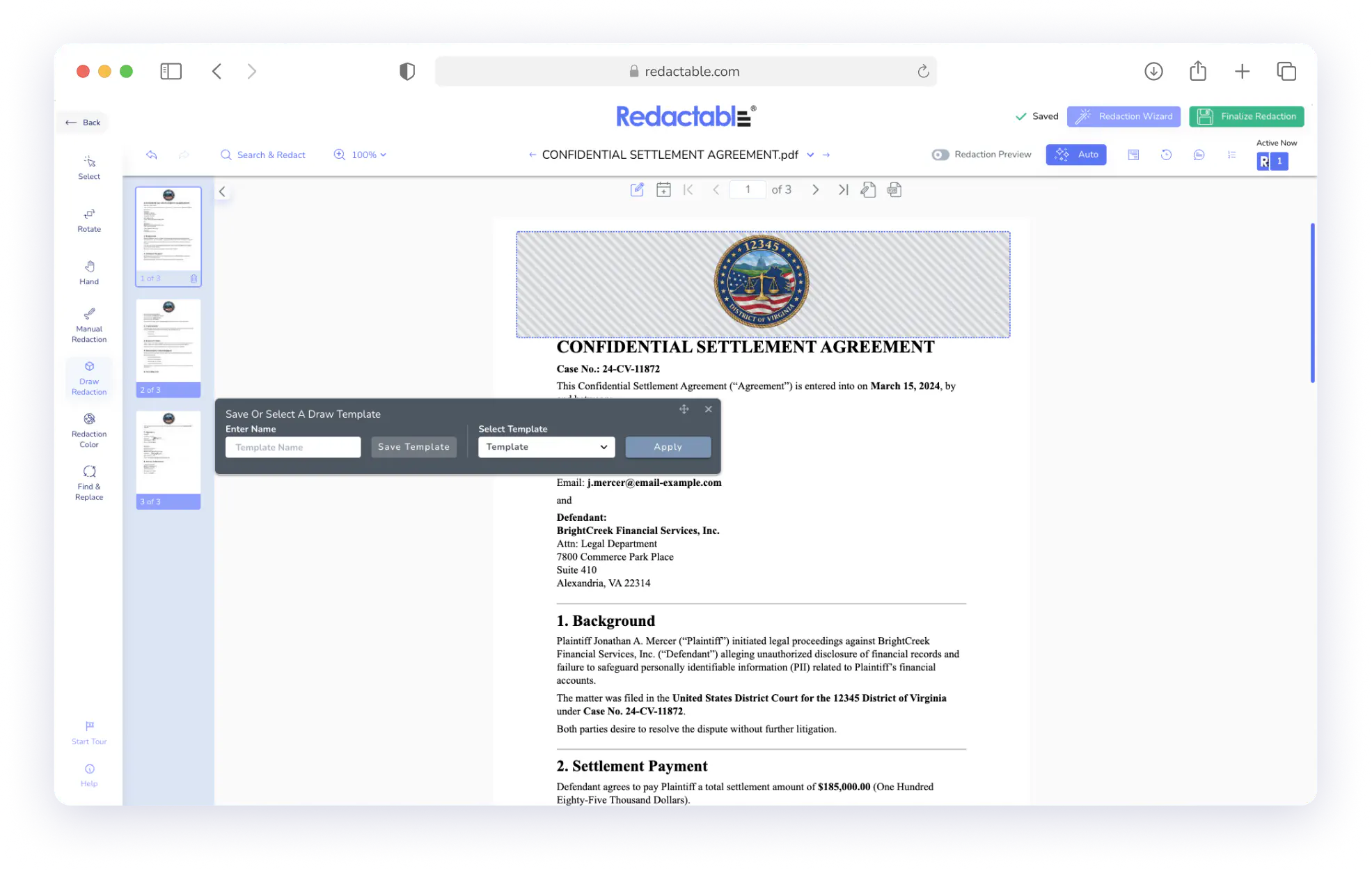
Redact the Same Fields Across Every Page
Draw your redaction boxes once using Draw Templates, and Redactable automatically replicates them on every subsequent page. Every box stays linked, so edits and deletions carry through instantly. Save templates to reuse across similar documents.
Attach a Reason to Every Redaction
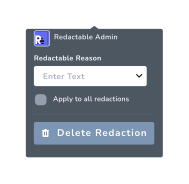
A documented reason can accompany every redaction. Choose from predefined options or enter a custom one. Apply a reason to a single redaction or push it across every redaction in the document at once. When you finalize, those reasons tie to the redaction record.
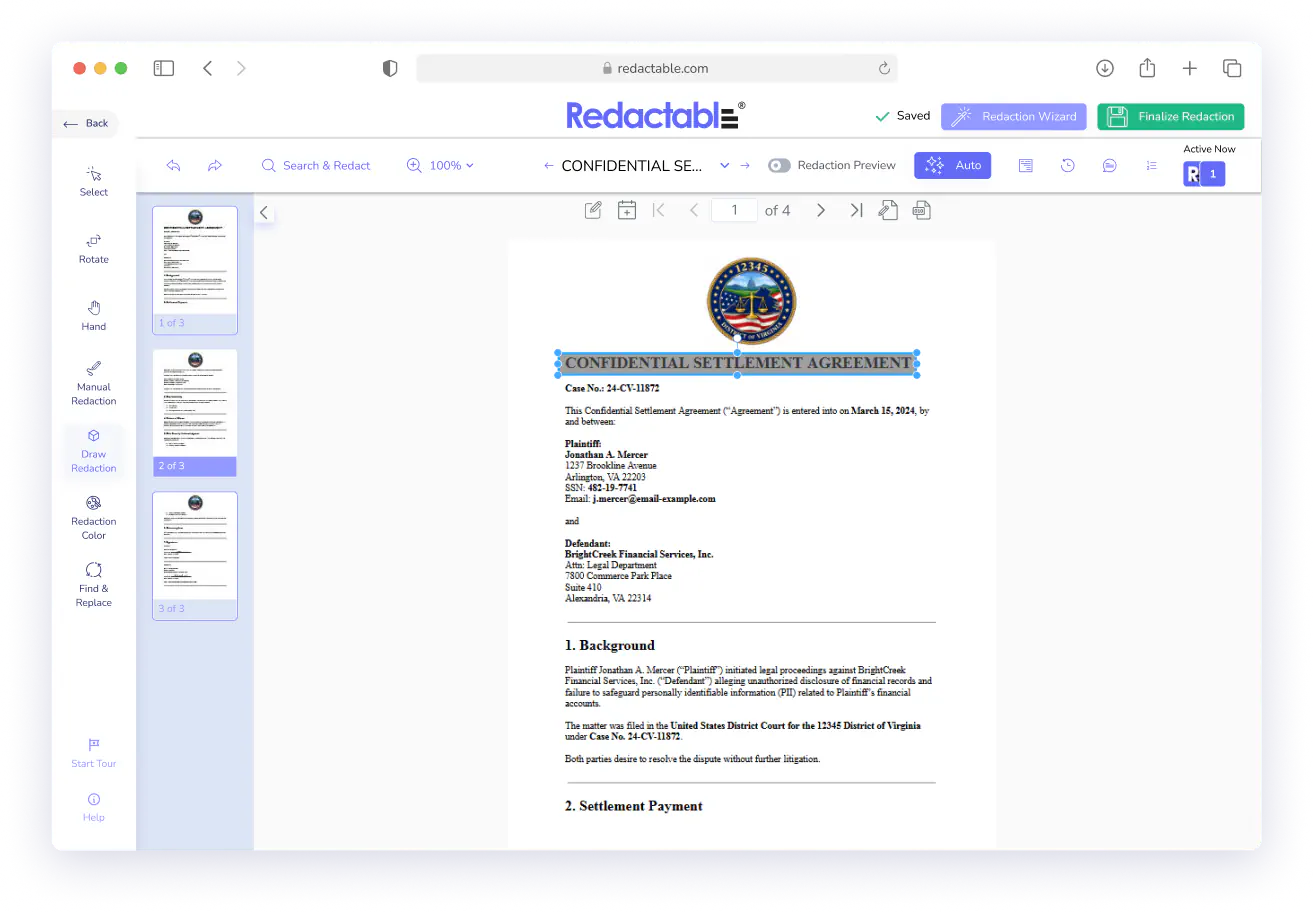
Edit Redactions Before You Commit
Redactions stay editable until you finalize the document. Click any marked text or drawn box to delete the redaction or update the reason. Adjust as many times as needed during the review process. Finalization permanently removes the content, including the text, metadata, and OCR layer.

Real Customers, Real Redactions

No credit card required
Start redacting for free
Cancel any time

Sarah Dunbar Harper
Insurance & Legal Consultant
Redactable automatically recognizes PII including SSN and credit cards. It has easy redaction features that I can bend to blackout bars, watermarks, and the interface is easy to work with. I have been able to use Redactable to ease my redaction process. It does away with the time-consuming and painstaking exercises of redaction which if done manually poses the risk of exposing data.

Ayida Gambarova
Systems Engineer - Retail
It's AWESOME! Love it and have told my colleagues in law about it. This program saved me about 30+ hours on a project with about 1,000 pages of medical records vs. doing it "by hand" and then saved me hours when it saved the redactions and allowed me to "unredact" per a Judge's order. WONDERFUL software!! I taught myself how to use the software in about 5 minutes - no joke. So easy to use!

Philip J Berenz
Attorney at Berenz Law Network PC
Easy to use and very fast. I was able to comb through dozens of documents to redact sensitive information in a matter of minutes for $20. Can't beat that. Good customer service too. Recommend.

Eddie Hsu Pugmire
Investor
My overall experience with Redactable has been great. I can't see myself using another redacting program after using this. Redactable is so easy to use that it has become my go-to program whenever I need to redact a document. The operation is so simple that truly anyone could use it.

Ralph B.
How it Works

1
Upload your documents
Import from your local drive or connect directly to Google Drive, Dropbox, OneDrive, Box, SharePoint, or Clio. Tag and organize documents as they come in.

2
Open the Manual Redaction tool
Select "Manual" from the Redaction Wizard when your document opens, or click the pencil icon in the left-side toolbar. The tool activates in the editor.

3
Highlight, draw, or mark
Use Manual Redaction to highlight specific text, Draw Redaction to box off images or non-text areas, or Draw Templates to replicate boxes across every page at once. Assign a reason to any redaction individually or across multiple all at once.

4
Review and adjust
Delete or update any redaction before you finalize. Use color-coded highlights to confirm everything is correct, and route the document for approval if needed.

5
Finalize and share
Click Finalize Redaction to remove all marked content permanently. Redactable scrubs the text, metadata, and OCR layer, generates a redaction certificate, and populates your audit trail.
Manual Redaction That Puts You In Control
See why we're the #1 redaction software for teams that need precise documentation and a clear record of every decision.
Redactable's manual redaction tools give you the speed of a modern platform with the control that sensitive documents demand.

Google Drive

Dropbox

OneDrive
%201.svg)
SharePoint

Box

Clio
Start Redacting for Free with No Credit Card Required.

Over 98% time savings with AI-powered redaction

