
.svg)

As a business owner, it’s important for me to prioritize the safety of sensitive client information that is shared with me. Finding a product like Redactable is a game changer in the legal and insurance industry! It will give you peace of mind knowing that you are safeguarding client information while saving time during your busy workday. It’s a win-win, and I highly recommend Redactable!
Assign a Reason to Every Redaction and Apply Them at Scale
Redactions without context create problems. Manual annotations and challenges to the basis of each decision are just the start. Redactable integrates directly into the redaction process so you can assign a specific reason to each mark as you work, bringing greater compliance and control to every document you handle.



Redaction Reasons At a Glance

Assign reason codes to every redaction

Find and replace applies reasons in bulk
.svg)
Reasons appear in your redaction certificate

Works across PDFs and scanned documents
HIPAA, privilege, FOIA exemptions, or custom categories.
Locate a term and redact all instances at once.
Giving you a defensible audit trail.
With full OCR support.
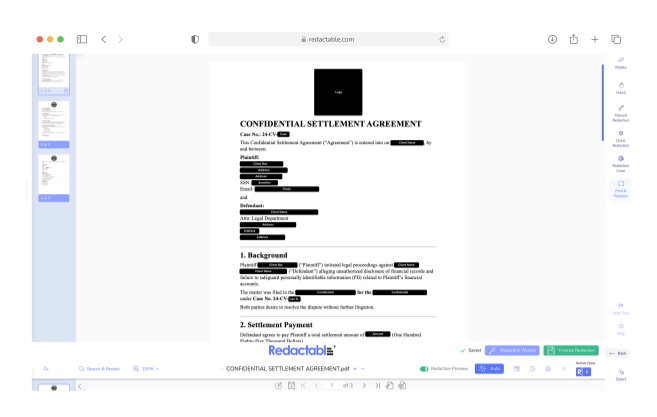
A Black Box Tells You What, But Not Why
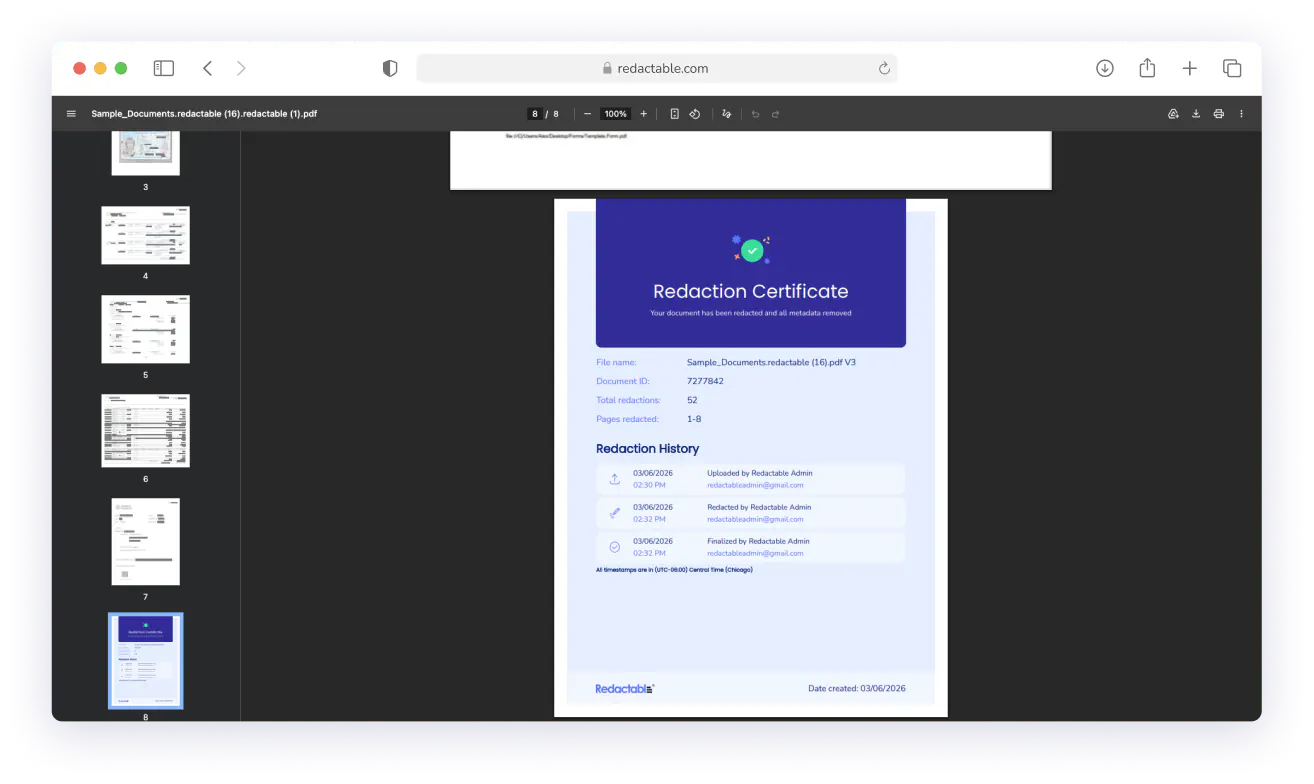
Most tools don't capture the justification for each redaction. Redactable does. For teams under HIPAA, FOIA exemption, or attorney-client privilege, the basis for each redaction is part of the record. Without it, you're open to claims that the redaction was improper or arbitrary. Redactable attaches reason codes at the moment of redaction that automatically appear in the redaction certificate after finalization.
Four Reason Types, One Defensible Record
Assign regulatory exemptions, legal basis, contractual obligations, or organizational policy to any redaction, whether applied manually, through AI auto-detect, or via keyword search. The workflow builds full accountability. Finalized certificates record each redaction, along with the user, timestamp, and reason.
Apply Redaction Reasons At Scale
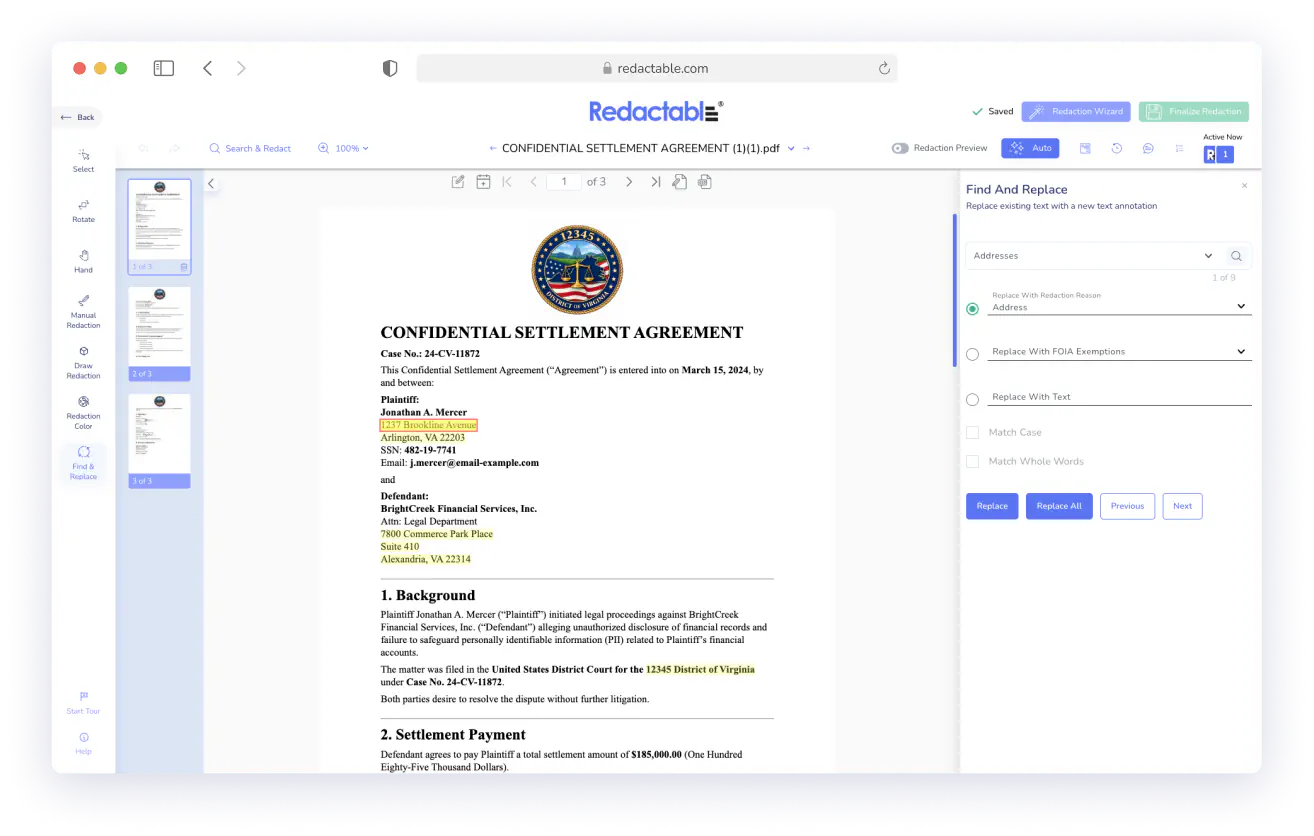
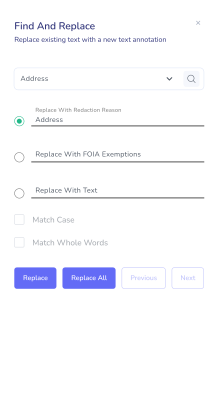
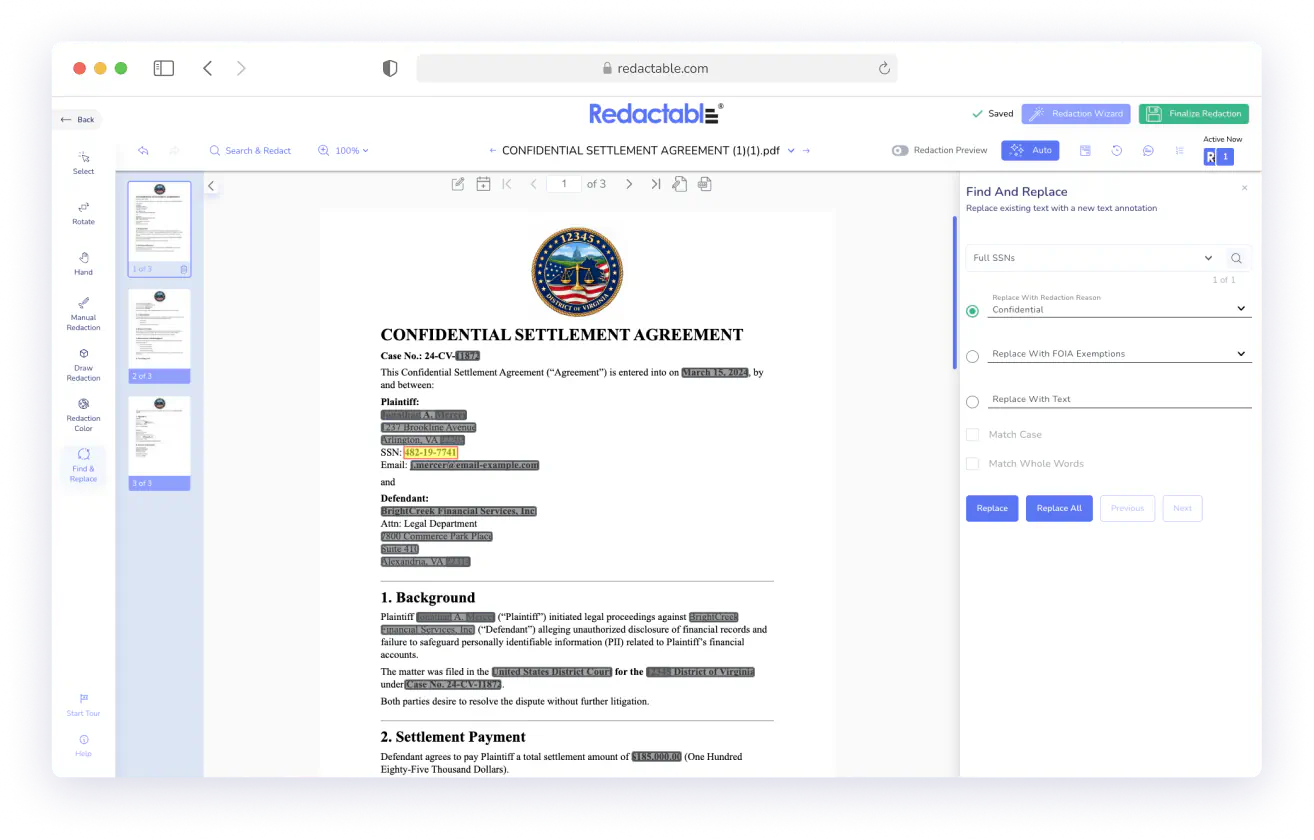
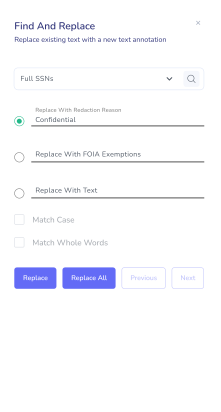
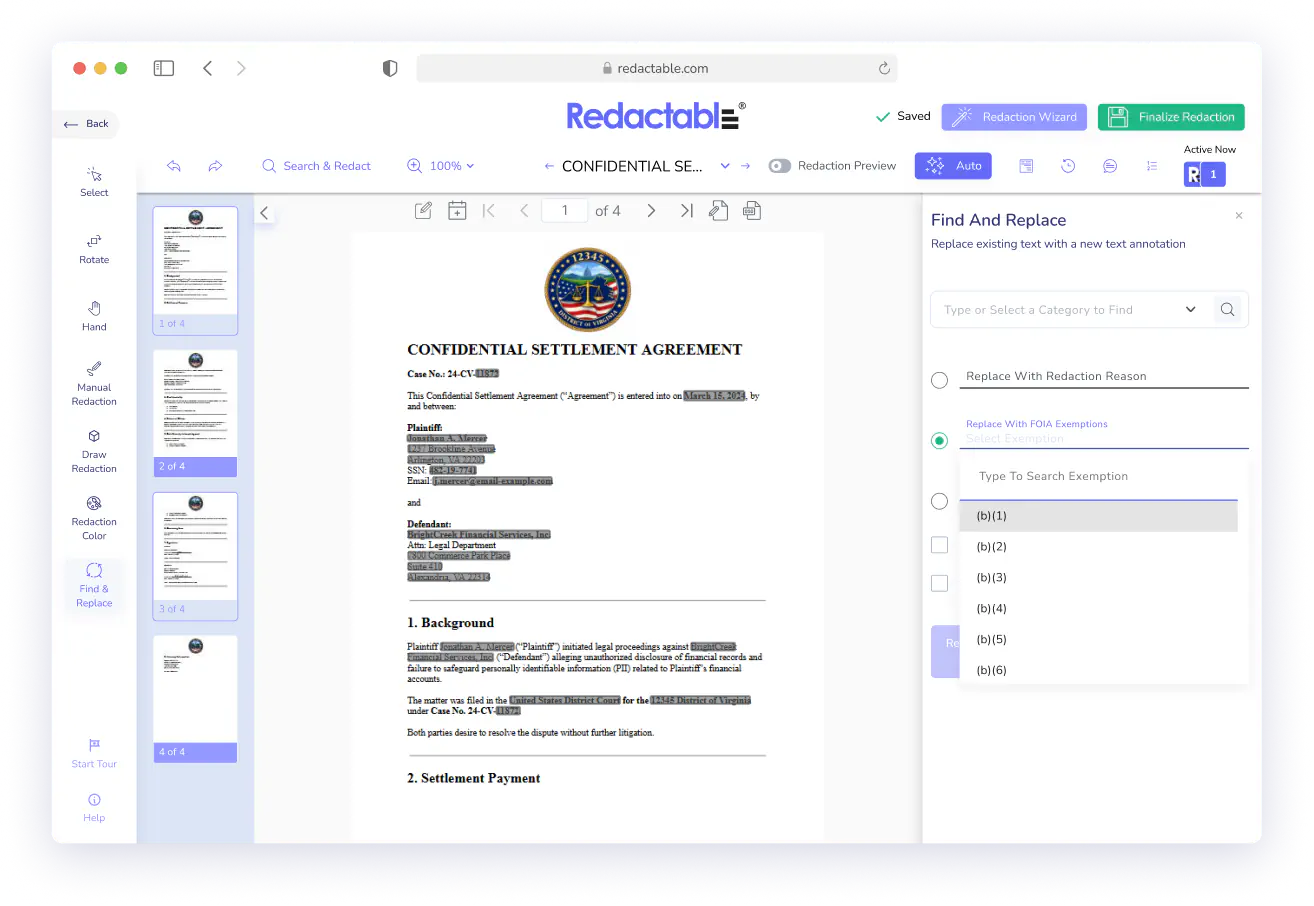
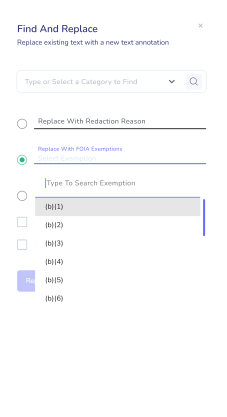
Apply redaction reasons in bulk with find and replace. Search for a name, number, or phrase, assign a reason, and redact every instance across the document in one action, logging each one with the correct reason code. Find and replace also works on scanned documents, and Redactable runs OCR automatically, so no file is out of reach.
One Missed Instance Can Expose Everything
Find and replace does its most important work where a single missed instance creates real exposure. SSNs and patient IDs scattered across headers and exhibits, witness names in law enforcement records, privilege markers that can't appear in a production, or proprietary language repeated across a long agreement. Run AI auto-detection first, then use find-and-replace to search for specific terms you know are in the document.
Built for Regulated Industries
Redactable's reason codes map directly to HIPAA provisions, the nine federal FOIA exemptions, attorney-client privilege, and custom categories your organization defines. Every redaction has a documented basis, meaning it holds up in an audit, a breach investigation, or an appeal.

Real Customers, Real Redactions

No credit card required
Start redacting for free
Cancel any time

Sarah Dunbar Harper
Insurance & Legal Consultant
Redactable automatically recognizes PII including SSN and credit cards. It has easy redaction features that I can bend to blackout bars, watermarks, and the interface is easy to work with. I have been able to use Redactable to ease my redaction process. It does away with the time-consuming and painstaking exercises of redaction which if done manually poses the risk of exposing data.

Ayida Gambarova
Systems Engineer - Retail
It's AWESOME! Love it and have told my colleagues in law about it. This program saved me about 30+ hours on a project with about 1,000 pages of medical records vs. doing it "by hand" and then saved me hours when it saved the redactions and allowed me to "unredact" per a Judge's order. WONDERFUL software!! I taught myself how to use the software in about 5 minutes - no joke. So easy to use!

Philip J Berenz
Attorney at Berenz Law Network PC
Easy to use and very fast. I was able to comb through dozens of documents to redact sensitive information in a matter of minutes for $20. Can't beat that. Good customer service too. Recommend.

Eddie Hsu Pugmire
Investor
My overall experience with Redactable has been great. I can't see myself using another redacting program after using this. Redactable is so easy to use that it has become my go-to program whenever I need to redact a document. The operation is so simple that truly anyone could use it.

Ralph B.
How it Works

1
Upload your document
Import from your local drive or pull directly from Google Drive, Dropbox, OneDrive, Box, SharePoint, or Clio. Scanned files convert to searchable text automatically.

2
Run AI auto-detection and assign reasons
Redactable identifies PII, PHI, financial data, and sensitive categories across the document. As you review suggestions, assign a reason code to each redaction captured in real time.

3
Use find and replace for bulk application
Search for a specific term, assign a reason, and redact every instance in one action.

4
Review and finalize
Use draft redaction mode to review before committing. Redactable permanently removes all redacted content and generates a certificate summarizing counts, pages, users, and timestamps.

5
Share with confidence
Your document is clean, your certificate is ready. The audit trail handles itself.
Give Your Redaction
a Paper Trail
See why we're the #1 redaction software for teams that need redaction to hold up under scrutiny.
Redactable handles two jobs that manual review consistently gets wrong: documenting every decision and catching every instance. Together, they make your redaction output something you can stand behind.
Start Redacting for Free with No Credit Card Required.

Over 98% time savings with AI-powered redaction

