Faster, Safer Redaction for HR
Protect employee data in every personnel file and performance review with AI-powered redaction software built for HR professionals.

AI-powered precision redacts sensitive information instantly
Reduce human error and redaction time by up to 98%
SOC 2 Type II and HIPAA-compliant platform







.svg)
Results For HR Teams That
Use Redactable
.svg)

The Real Challenges With
HR Document Redaction

Personnel Files Contain Too Much Sensitive Data to Review Manually

Employee Data Gets Shared With External Parties Constantly

Scanned Records and Legacy Files Create Data Protection Gaps

Data Access Requests Require Precision to Avoid Over-Redaction

Internal Communications and Legal Proceedings Demand Audit Trails
Employee records, performance evaluations, and background checks all contain personally identifiable information that must be protected. Manually reviewing every page before responding to data access requests or sharing with legal counsel is unrealistic when HR departments handle hundreds of files.
A single termination file might go to legal counsel, unemployment offices, or opposing counsel. A single termination file might go to legal counsel or unemployment offices. Each transfer creates exposure risk when sensitive personal data isn't handled correctly.
Older personnel files, handwritten manager notes, faxed medical certifications, and scanned hire packets are common in HR, yet most redaction tools can't reliably process image-based PDFs. Sensitive data inside those digital files goes undetected unless you have OCR that can read them first.
When employees submit data access requests under GDPR, CCPA, or other privacy laws, HR teams must produce relevant documents while redacting third-party personal data. Manual processes can't deliver the repeatable workflow this requires.
Slack threads and email exchanges often contain privileged information that can't be disclosed in court filings or regulatory investigations. HR teams need redaction software that permanently removes sensitive text while generating audit trails.

Why HR Teams
Choose Redactable
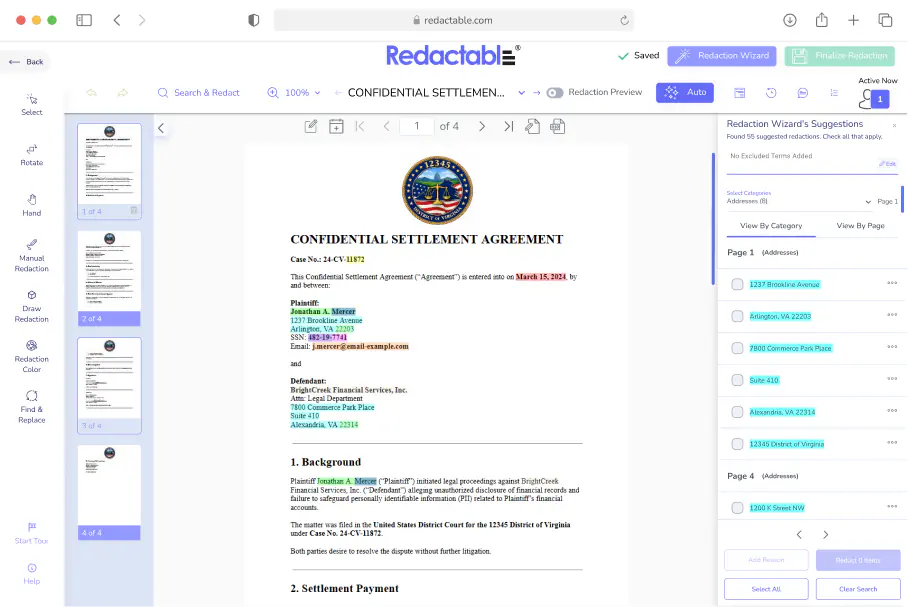


Automatic Detection of Employee PII and Financial Information
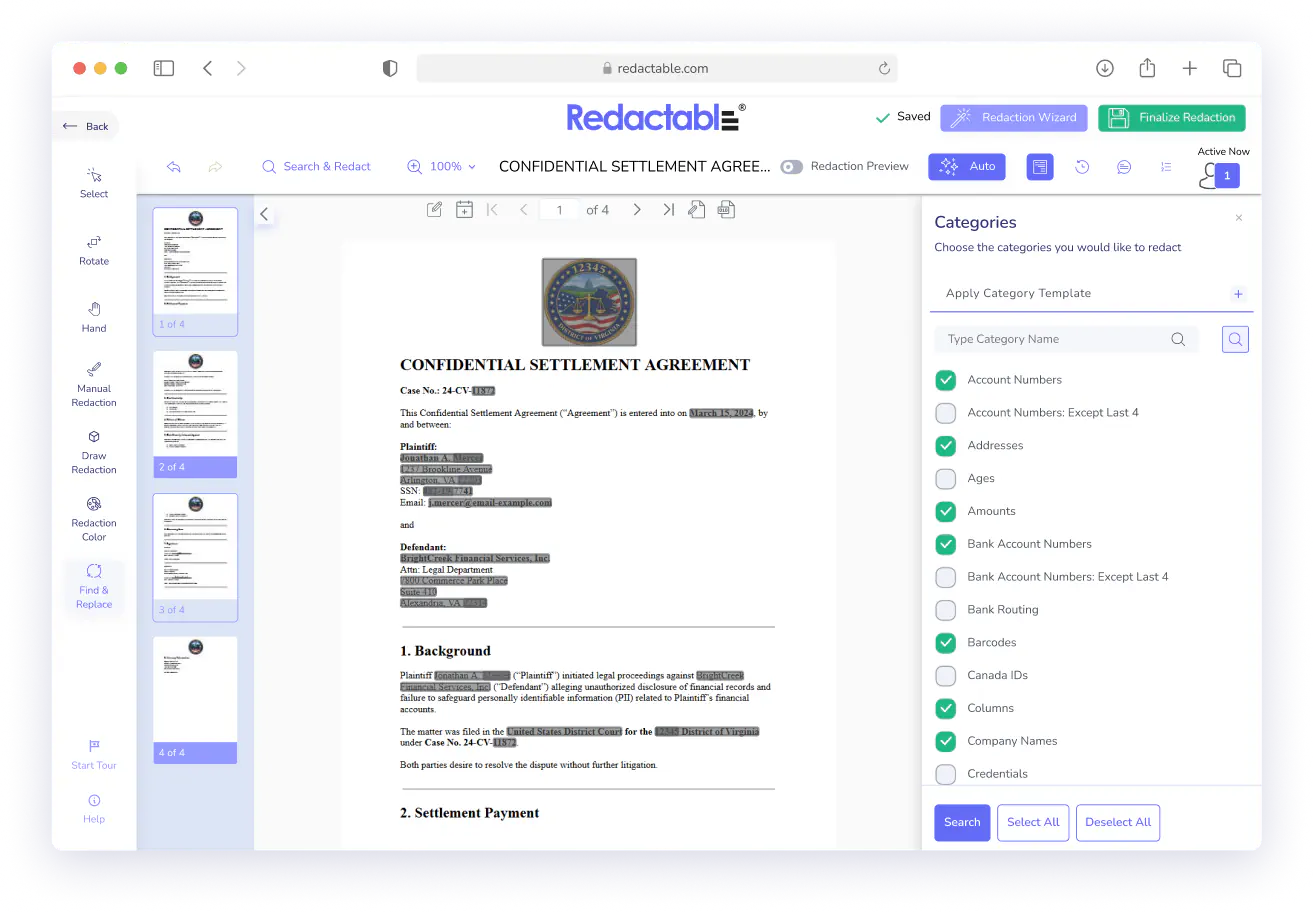
Redactable's AI scans every document and flags the personal identifiers that matter most in HR: Social Security numbers, bank account details, dates of birth, home addresses, medical information, salary details, performance ratings, and disciplinary history.
All you have to do is review what's flagged and confirm.
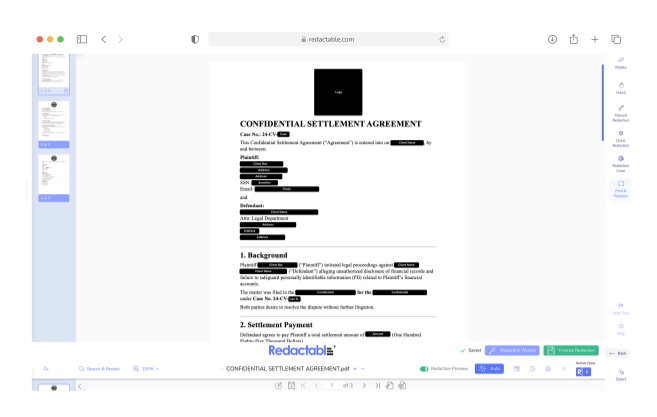
Permanent, Irreversible Redaction that Removes the Underlying Data
Blacking out text in Adobe doesn't delete the underlying data. Redactable permanently removes sensitive content from both the visible document and any embedded metadata, hidden layers, or file properties, so nothing can be recovered after the file leaves your HR department.
This helps HR professionals meet GDPR, CCPA, HIPAA, and other privacy laws with ease and consistency.
OCR for Scanned Employee Records and Legacy Personnel Files
Older hire packets, handwritten interview feedback, faxed medical documentation, and scanned termination letters present a problem for most redaction tools.
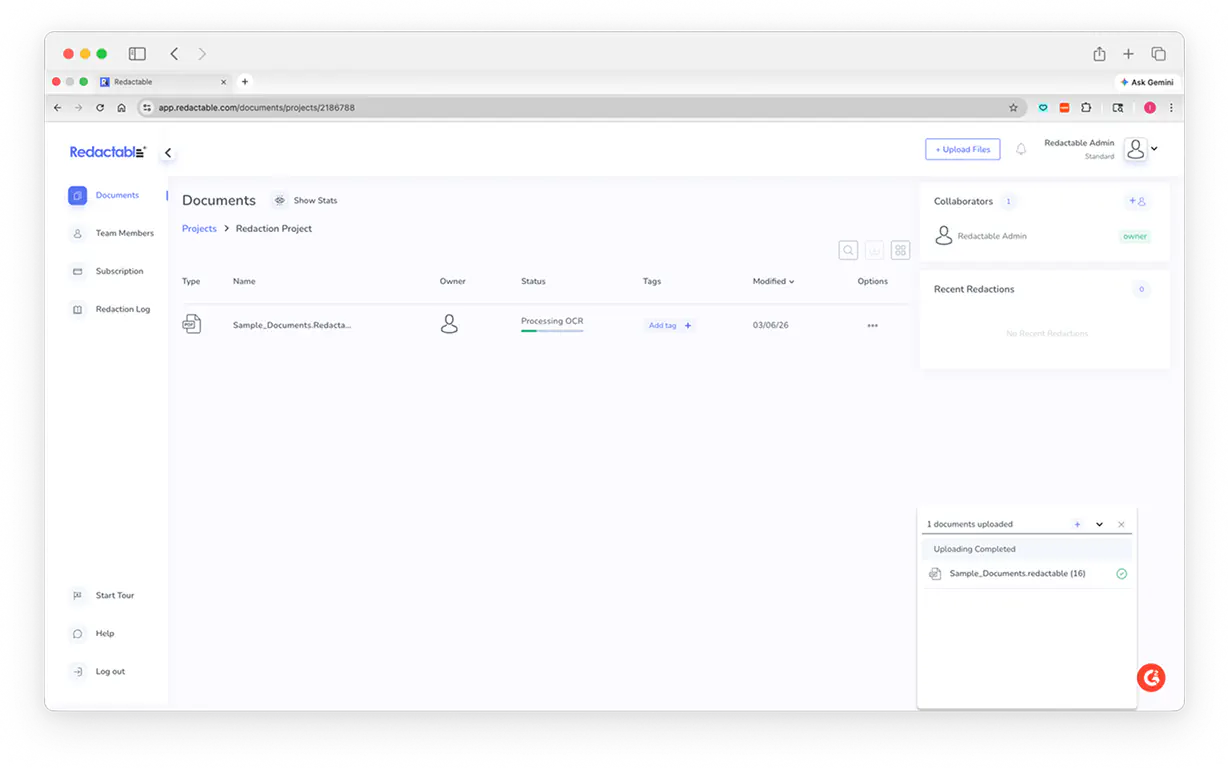
Redactable's built-in OCR converts image-based files into fully searchable documents before scanning for sensitive data, so scanned personnel files get the same level of data protection as native digital documents.
Automated Audit Trails and Redaction Logs for Compliance
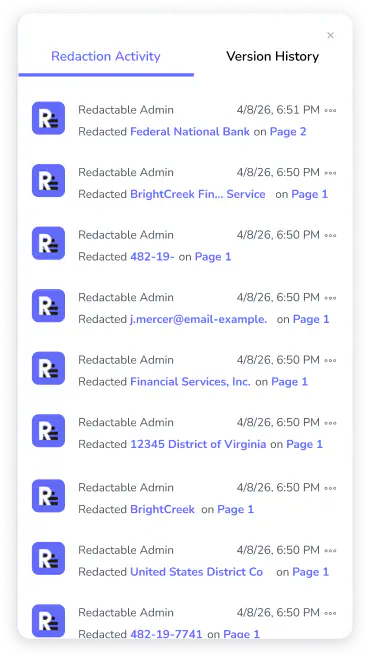
Every redaction performed in Redactable (who redacted something, when, what was removed, and from which page) is logged automatically.
The system generates a redaction log for regulatory audits, legal proceedings, or data access requests, providing your HR department with the documentation it needs to demonstrate compliance without manual recordkeeping.
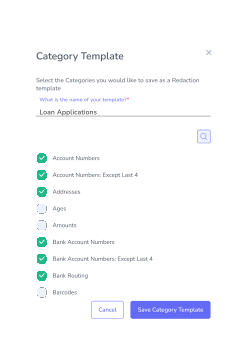
Redaction Templates for Common HR Documents
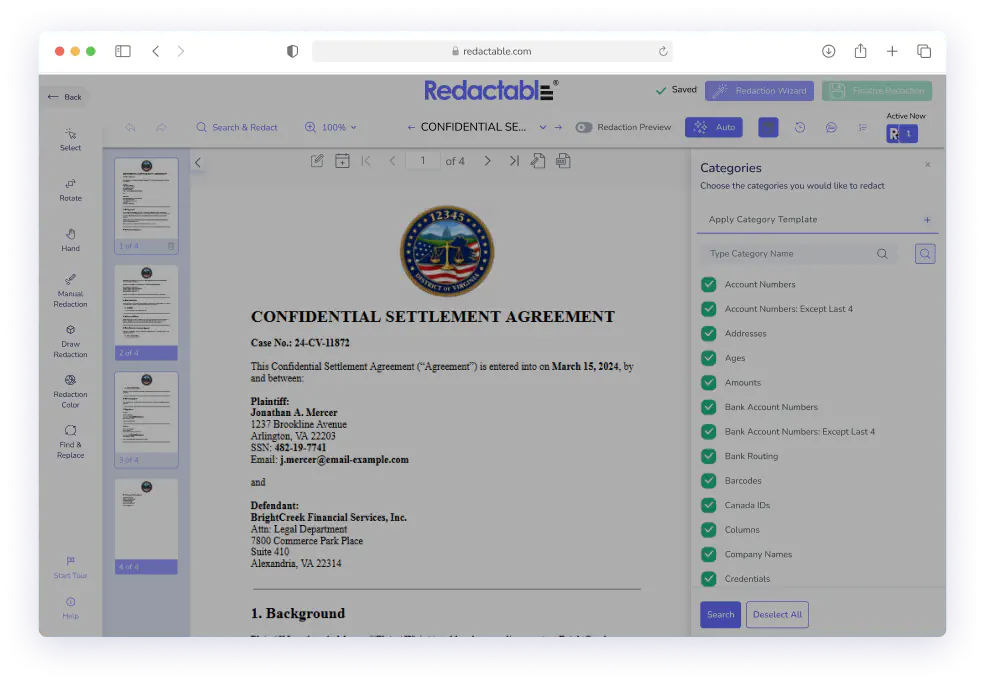
Performance evaluations, disciplinary records, compensation spreadsheets, and investigation reports follow predictable structures. Build a redaction template once for each document type and apply it across every new file with one click.
Your HR team gets consistent redaction across all employee records without starting from scratch or risking the errors that come from relying on someone to remember what needs to be removed.
How Redactable Works


Six Ways to Protect Sensitive Data in HR Documents

See What Our Clients Have to Say
Security & Compliance Info

(EU-U.S., UK, Swiss)
Ready to get started?
Frequently Asked Questions
HR document redaction is the process of permanently removing sensitive information from employee records, performance evaluations, and investigation reports before they are shared with legal counsel, external parties, or data subjects making legal requests. Sensitive information includes Social Security numbers, bank account details, medical information, and salary details. Proper document redaction is required under the General Data Protection Regulation, CCPA, HIPAA, and other privacy laws. A single unredacted personnel file contains enough employee PII to enable identity theft or data breaches that expose your organization to regulatory fines.
HR professionals are responsible for identifying and removing a wide range of sensitive data before sharing employee records. Personally identifiable information includes Social Security numbers, driver's license numbers, dates of birth, home addresses, and medical conditions. Financial information requiring redaction includes bank account details, payment details, and salary details. When responding to data access requests, HR departments must also redact third-party personal data (names and personal identifiers of other employees, witnesses, or complainants). Embedded metadata and hidden metadata in digital files can contain author names, edit history, and sensitive details that must be permanently removed.
Several federal and international privacy laws create redaction obligations for HR departments. The General Data Protection Regulation applies to any organization processing personal data of EU residents and grants data subjects the right to access their information. The California Consumer Privacy Act (CCPA) gives employees similar data access rights. HIPAA governs the handling of protected health information in medical leave records and disability accommodation files.
Data access requests from employees require HR departments to produce relevant documents showing what personal data the organization holds about that individual. Personnel files often reference multiple employees (performance reviews mention team members, investigation reports identify witnesses, compensation spreadsheets contain salary details for entire departments). Effective redaction software must remove sensitive personal data about everyone except the data subject making the request. In legal proceedings, court filings must protect privileged information and employee PII while producing the relevant documents requested by legal counsel.
Yes. Internal communications (email threads, Slack messages, and manager notes) often become part of investigation files or regulatory audits. These documents contain sensitive details about employee performance and workplace complaints that must be redacted before sharing with external parties. A single investigation might generate hundreds of email exchanges containing sensitive information. Redaction tools that can't handle high volumes create bottlenecks that prevent HR teams from meeting response deadlines.
Yes. Redactable uses built-in OCR technology to convert scanned PDFs and documents containing handwritten text into fully searchable formats before running its redaction detection. Handwritten interview feedback, faxed medical certifications, and scanned hire packets all receive the same level of coverage as native digital files.
Adobe Acrobat's basic redaction tools cover sensitive text visually but don't always permanently delete the underlying data from the document's structure or embedded metadata. Redactable permanently deletes sensitive content from every layer of the document (visible text, metadata, hidden layers, and embedded images). Manual redaction processes also introduce human error: HR professionals miss instances or accidentally expose sensitive information. Redactable eliminates those risks by automating detection.
Yes. Redactable supports batch uploads of up to 100 documents, with each document containing up to 15,000 pages. Custom redaction templates let your HR team apply consistent policies across every document type. For large HR departments processing dozens of data access requests each month, document redaction stays manageable without pulling HR professionals away from higher-value work.
Over-redaction occurs when HR teams remove information the data subject is legally entitled to see. Redactable's custom redaction lists and category templates let you define exactly what should be redacted for each request type. When responding to a data access request from Employee A, you can create a template that flags and redacts references to other employees while preserving all information about Employee A.
Yes. Redactable offers a free trial with no credit card required. Your HR team can upload real personnel files, run the AI detection, and see exactly how the platform fits your workflow.

Over 98% time savings with AI-powered redaction

