You've just spotted a typo in a contract you signed an hour ago. You open the PDF to fix it and hit a wall: "This document is signed and cannot be modified." Or worse—you make the edit, and the green validation checkmark turns red, flagging the document as tampered.
Most people assume a signature is just an image they can delete. The reality: PDF signatures are cryptographic integrity checks built into the document's security structure. Removing them isn't like erasing a scribble—it's like trying to unseal an envelope without anyone noticing it was opened.
Here's what makes signature removal complicated: removing a digital signature often destroys the proof that the document was authentic and unaltered, undermining its legal value. Even when you visually delete a signature, older signed versions can remain recoverable in the file's structure. And some signatures lock documents entirely, meaning the only compliant path forward is reverting to an unsigned copy or voiding and re-executing the agreement.
This guide shows when you can safely clear a signature, when you must request a fresh unsigned copy, and why simply "hacking" the PDF creates legal and security problems. You'll learn the difference between signature images and cryptographic signatures, understand what "removing" actually means technically and legally, and get practical workflows for both low-risk edits and high-stakes contracts.
What "removing a signature" really means?
Visual marks vs. cryptographic PDF signatures
A signature on a PDF can mean two completely different things.
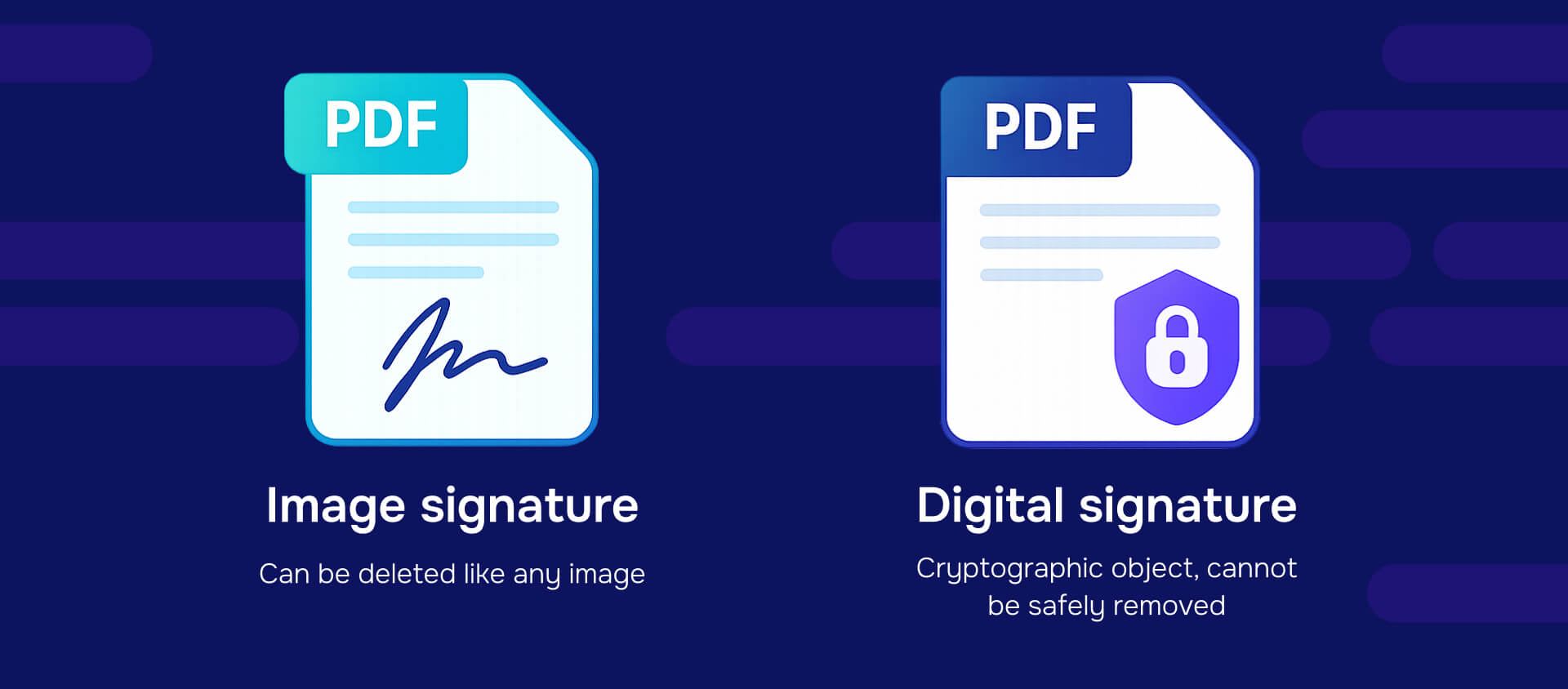
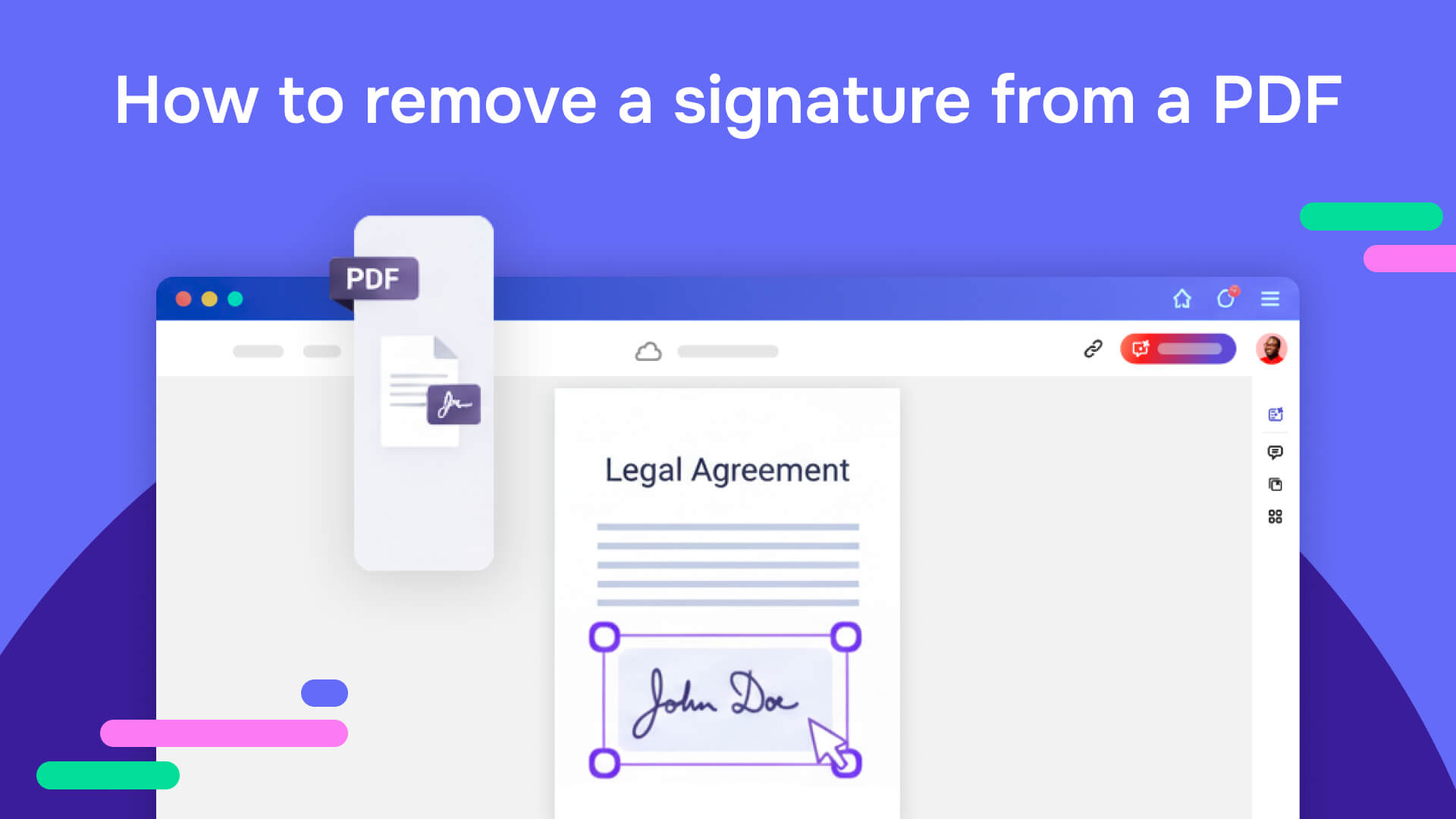
Signature images are pictures - scanned handwritten signatures, typed names in script fonts, or graphics pasted onto documents. These are just visual elements. You can delete them like any other image using redaction tools, or PDF editors.
Digital signatures are cryptographic objects tied to the document's binary data and a digital certificate. When you apply a digital signature, the PDF software calculates a hash of specific byte ranges in the file and encrypts that hash with your private key. The signature includes validation data—your certificate, timestamp, and the exact bytes covered by the signature.
PDF viewers don't just check what you see on screen. They verify the signed byte range against the stored signature to confirm nothing changed since signing. Delete the signature object, and you lose that verification entirely. Edit the signed content, and validation fails.
How PDF signatures are built into the file structure?
PDF signatures rely on incremental updates -a core PDF feature where each edit appends new content rather than overwriting existing data. When you sign a PDF, the signature covers a specific byte range. Later edits add new revisions as appended sections, preserving the original signed content.
This structure serves a purpose: standards like ISO 32000-2 and ETSI PAdES rely on this to make signatures long-term verifiable and allow certain post-signing changes (adding additional signatures, timestamps, or document security settings) without breaking the original signature validation.
The incremental structure means signed bytes remain in the file even after subsequent edits. Forensic tools can reconstruct previous document states by reading earlier revisions embedded in the file structure.
Why this matters for removal?
Because signed bytes and validation information form a cryptographic container, you cannot simply rip them out without consequences. You're not deleting a graphic - you're dismantling the proof that specific content existed in a specific state at a specific time.
For many workflows, the safest answer is to not remove the signature at all. Instead, create a new unsigned working copy and keep the signed version as a sealed record. This preserves the evidentiary value of the signed document while giving you a clean slate for edits.
When do people need to remove signatures from PDFs?
What if you signed a document and need to fix a typo?
Single-signer scenario: you sign a document, then immediately spot an error and want to remove your signature to edit.
Whether you can clear your signature depends on how the document was configured. If you didnt check "lock document after signing," most PDF viewers let you right-click the signature field and select an option like "Clear Signature" to revert to unsigned status. Once cleared, you can make edits and re-sign.
If the document was locked after signing - even by you - further edits become impossible without reverting to an unsigned source file. The lock prevents all modifications to preserve document integrity after execution.
What happens when multiple people have signed a PDF?
Once multiple signatures exist on a document, removal becomes significantly more complex. Each signature covers a specific document state, and subsequent signatures often depend on earlier ones remaining valid.
The typical path: revert to an unsigned source version, make your updates, and re-run the entire signature process. All signers must sign again.
Trying to surgically remove one person's digital signature from a fully executed agreement raises legal and evidentiary problems. It can appear as tampering, undermine the document's authenticity, and violate organizational policies or platform terms of service.
How do you remove just the signature graphic without affecting digital signatures?
In some cases, the "signature" is just a pasted image - a scanned scribble or a graphic element - without any cryptographic signature attached. You simply want to remove the visual mark from a working file.
This is the simplest case. Open the PDF in any editor that handles images and objects, select the signature image, and delete it.
However, even here, caution matters. If the file went through a signing workflow at any point, hidden validation data and previous signed revisions may still exist in the file structure. For high-stakes documents (contracts, regulated records, documents with compliance obligations), "just erasing the image" isn't sufficient—you need to verify no cryptographic signatures remain and consider whether older signed versions embedded in the file create security or privacy risks.
When you can actually remove a signature from a PDF?
How do you clear your own digital signature in a PDF viewer?
If you're the only signer and the document isn't locked after signing, you can typically clear your signature through the PDF viewer.
How to clear a signature in PDF:
1. Open the signed PDF in your PDF viewer (Adobe Acrobat, Adobe Reader, or compatible software)
2. Right-click on the signature field
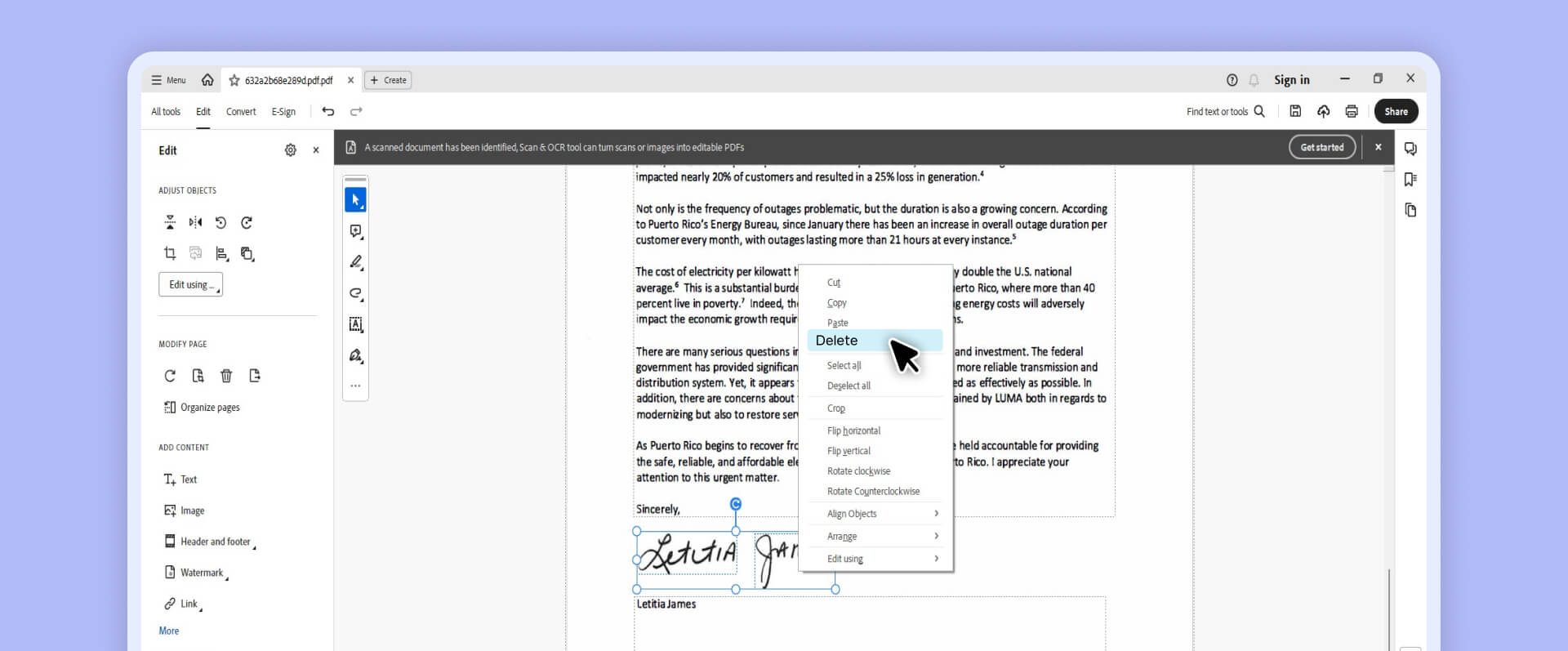
3. Select "Clear Signature" or similar option (exact wording varies by software)
4. Confirm the action when prompted
5. Save the file—it's now unsigned and editable
Critical best practice: Always save a backup copy of the signed PDF before clearing the signature. Once you clear a signature and save the file, you cannot restore the signature—you'll need to re-sign after making edits.
Understand that clearing your signature removes its legal effect. The document reverts to unsigned status. If the signature had legal significance (contract execution, approval, attestation), you're essentially voiding that action until you re-sign.
Should you use an unsigned source file or template instead?
The cleanest approach to "removing" signatures: never remove them - work from unsigned source files instead.
Many signing platforms and guidance documents recommend maintaining unsigned master copies. When you need to make changes, return to the pre-signing document, make edits there, and generate a new copy for signing.
Practical workflow habits:
Version naming conventions: Use clear naming to distinguish templates from executed versions. Examples: "Contract_Template.pdf" vs. "Contract_Executed_2025-01-15.pdf" or "Form_Unsigned.pdf" vs. "Form_Signed_Smith_2025-01-15.pdf"
Access controls: Limit who can sign template files. Store unsigned masters in locations where only authorized personnel can access them, preventing accidental signing of the master copy.
Document lifecycle management: Track which version is the working template, which versions are out for signature, and which versions are fully executed and archived as records.
This approach preserves the integrity of signed documents as complete records while maintaining flexibility for ongoing work.
What are certification signatures and how do locked documents work?
Certification signatures represent a special type of PDF signature that can restrict or prevent post-signing changes. When someone applies a certification signature, they can choose the level of modifications allowed:
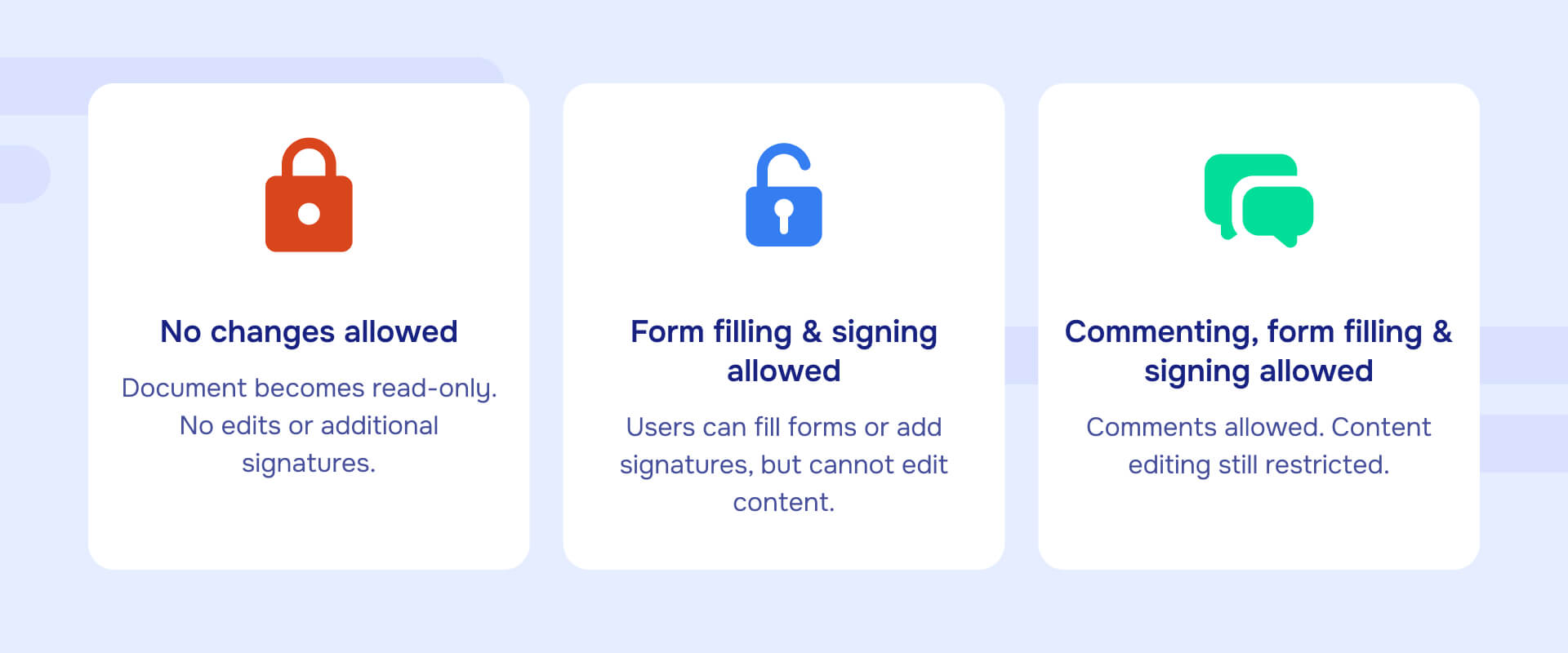
No changes allowed: Document becomes read-only after signing. No edits, additional signatures, or form filling permitted.
Form filling and signing allowed: Users can fill form fields and add approval signatures, but cannot edit document content.
Commenting, form filling, and signing allowed: Users can add annotations and comments in addition to form filling and signing.
These restrictions use the DocMDP (Modification Detection and Prevention) mechanism defined in ISO 32000-2. DocMDP creates a cryptographic lock controlling what operations are permissible without invalidating the signature.
If a certifying signer chose a restrictive profile—especially "no changes allowed"—your options narrow dramatically:
- Request a new unsigned copy from the certifying party
- Rebuild the document by extracting content to a new file (though this may not preserve all formatting and can be time-intensive)
- Accept the restriction and work with the document as-is
Attempting to strip a certification signature defeats its entire purpose. The signature exists specifically to prevent unauthorized modification. Removing it signals to anyone examining the document that you've bypassed the intended security controls.
When you need to edit but can't remove the signature?
Some workflows don't require removing digital signatures at all—you can make necessary changes while preserving signature validity.
Can you redact information from a signed PDF?
When you need to redact sensitive information from a signed PDF - removing confidential data, personal information or privileged content - you face a dilemma: most edits invalidate signatures, but you need both redaction and proper handling of the signed document.
The relationship between redaction and signature preservation depends on technical constraints:
Signature configuration matters: Digital signatures can be configured with different permission levels (DocMDP settings). Some allow no changes at all. Others permit specific operations like form filling or annotations without invalidating the signature. Whether redaction can preserve a signature depends entirely on how restrictive the original signature configuration was and what byte ranges it covers.
Redaction typically alters signed content: Most redaction operations modify the document's content within the signed byte range, which invalidates the signature. This is by design—the signature exists to detect changes, and redaction is a change.
Two common approaches:
- Create a new redacted copy: Redact an unsigned copy of the document and apply a new signature to the redacted version. The original signed document remains intact as a separate record. This is the most common and legally defensible approach.
- Preserve signatures in supported configurations: In limited cases where the signature's DocMDP permissions allow certain modifications, specialized tools can perform redactions in ways that don't invalidate existing signatures. This depends on what the signature explicitly permits and requires tools that understand and respect those permission boundaries.
For workflows requiring both redaction and signature handling, consider:
- Maintaining separate versions: Keep the original signed document as an immutable record while creating a redacted unsigned copy for sharing
- Re-signing after redaction: Redact from an unsigned copy, then have authorized signers apply new signatures to the redacted version
- Using platforms designed for this workflow: Some specialized tools can navigate signature permissions and redaction requirements, though capabilities vary based on signature configuration
Redactable can help with these workflows by providing permanent redaction that completely removes sensitive data (not just visual masking) and, in supported signature configurations, can work with signed documents. The specific approach depends on your document's signature settings and compliance requirements.
How do you remove signature images without touching digital signatures?
In other cases, you need to remove the visual signature graphic without disturbing the underlying digital signature.
Example scenarios:
- A document has both a digital signature (cryptographic) and a signature image (visual) applied separately
- You need to prepare a clean version for reprinting without signature graphics but want to maintain digital signature validity for the source file
- The signature image contains personal information that needs redacting for privacy compliance
Redaction tools can permanently remove visual signature elements from documents. Unlike simple deletion or masking, permanent redaction completely removes the visual data—the image doesn't just become invisible, it's extracted from the file entirely.
This is particularly important when:
- Privacy regulations require data removal: Visual signatures often include personal information (handwritten signatures contain biometric data in some jurisdictions). Permanent removal ensures compliance.
- Documents must be shared externally: Removing signature images before sharing drafts or templates prevents misuse of signature graphics.
- Archival and records management: Organizations may need unsigned clean copies of documents for templates while preserving signed originals as separate records.
Redactable provides AI-powered detection of signature-like visual elements and permanent redaction that removes them completely, including any metadata associated with the images. This complements workflows where digital signatures must remain intact but visual elements need removal.
What should you avoid when removing PDF signatures?
Why doesn't visual masking actually remove signatures?
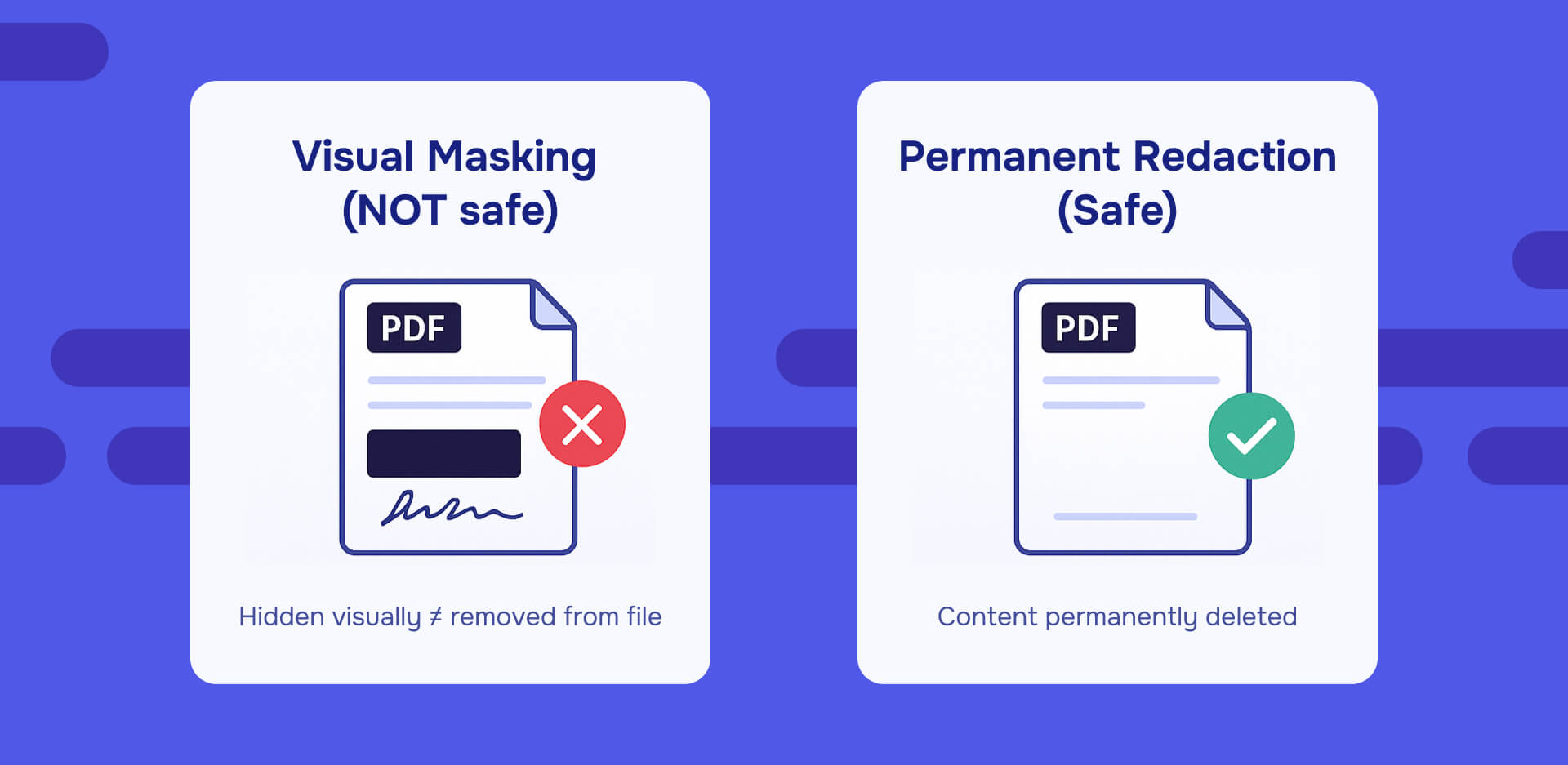
Drawing white rectangles over signatures, cropping signature areas, or layering objects to hide signatures don't actually remove anything. These techniques alter appearance but leave underlying content intact.
PDF's incremental update structure means that "masked" content and previous document revisions remain in the file. Forensic tools and PDF validators can reconstruct earlier states, revealing signatures you thought you'd removed.
This creates multiple problems:
Security risk: Sensitive signature data you believed was removed remains accessible to anyone with the right tools.
Privacy violation: If signature images contain personal information subject to privacy regulations (GDPR right to erasure, CCPA deletion requests), visual masking doesn't satisfy legal deletion requirements.
Evidentiary complications: In litigation or investigations, discovering that signatures were masked rather than properly handled can suggest document tampering or bad faith.
Compliance failure: Regulated industries with data retention and disposal requirements need permanent removal, not visual hiding.
What legal problems can editing signed PDFs create?
Removing or altering a signature in ways that hide the fact the document was signed—or that it's been modified since signing—can be portrayed as tampering or spoliation in litigation.
Evidentiary impact: Courts treat digitally signed documents as strong evidence of who signed what and when, provided the signature validates according to recognized standards. Compromising that validation raises questions about document authenticity and chain of custody.
E-signature framework compliance: Under frameworks like eIDAS (EU) and ESIGN Act (US), digital signatures derive value from their audit trail and integrity guarantees. Defeating those guarantees through ad-hoc edits can undermine enforceability of the entire agreement.
Spoliation sanctions: If signed documents are relevant to litigation or regulatory investigations, altering them—including removing signatures—without preserving originals can trigger spoliation sanctions. Courts may impose adverse inferences, monetary penalties, or evidentiary exclusions.
Contractual breaches: Many agreements include provisions requiring preservation of executed copies. Removing signatures from the only copy may violate those terms.
Are online PDF unlocker tools safe for sensitive documents?
Web searches for "remove signature from PDF" or "unlock PDF" return dozens of online tools promising instant signature removal. For sensitive documents, these services pose serious risks:
Data exposure: Uploading signed contracts, HR records, employee files, or client documents to unknown third-party websites exposes that data to whoever operates the service. You have no control over whether they store copies, log contents, or suffer data breaches.
Compliance violations: HIPAA (healthcare), GLBA (financial services), GDPR (EU personal data), attorney-client privilege, and countless other regulatory frameworks prohibit or restrict sending sensitive data to unvetted third parties without proper safeguards—data processing agreements, security assessments, and breach notification provisions.
Inadequate removal: Many online "unlock" tools only bypass permissions or restrictions, not true digital signatures. They may remove document-level restrictions while leaving signature validation data intact, or vice versa, creating a partial fix that doesn't solve your problem.
Malware and phishing risks: Some sites offering free PDF tools are fronts for malware distribution or credential harvesting.
For any document with legal, compliance, or confidentiality sensitivity, use vetted tools from established vendors or your organization's approved software rather than random web utilities.
What are the legal implications of removing PDF signatures?
How courts and regulators view digital signatures?
Digital signatures are generally treated as strong evidence of document authenticity - proof of who signed, what they signed, and when they signed it—provided the signature validates according to recognized standards and the certificate chain is intact.
This evidentiary weight depends on integrity. Courts and regulators expect that digitally signed documents remain unaltered after signing, or that any alterations are documented and explained through proper versioning.
Tampering with this evidence—especially without preserving originals—weakens your position in disputes. If you're defending a contract's enforceability or proving compliance with regulatory requirements, presenting a document with broken signatures or unexplained modifications raises immediate credibility questions.
What internal policies should organizations have for signature removal?
Organizations handling signed documents should adopt explicit policies addressing:
When signatures may be removed: Define scenarios where removal is acceptable (correcting unsigned working copies, removing signature images from templates) vs. prohibited (altering executed contracts, modifying signed compliance records).
When documents must be voided and re-executed: Specify that material changes to signed agreements require formal amendment or full re-execution, not signature removal and editing.
How signed copies are retained as records: Require preservation of fully executed signed versions separate from working copies. Many retention schedules and compliance frameworks mandate maintaining signed originals for specific periods.
Audit trail requirements: For electronic signature platforms, ensure the system captures who signed, when, from what IP address, what version was signed, and any subsequent actions (voiding, amendments, withdrawals).
Enterprise signing solutions emphasize preserving original audit trails even when transactions are voided or replaced. This aligns with broader expectations for trustworthy electronic records under frameworks like FDA 21 CFR Part 11 (electronic records in regulated industries), SEC Rule 17a-4 (financial records), and similar requirements.
What jurisdictional factors affect signature removal?
The legal effects of removing signatures depend on governing law, contract terms, and sector-specific regulations. This guide provides technical and procedural information, not legal advice.
For high-stakes situations—contract disputes, regulatory investigations, litigation discovery, employment matters—consult qualified legal counsel before removing signatures or materially altering signed documents.
International standards like ETSI PAdES and ISO 32000 provide technical baselines that many legal frameworks assume when evaluating digital signature reliability. Following these standards strengthens the argument that your signature handling practices are appropriate and defensible.
Sources: ETSI PAdES digital signatures, PDF Association on validation frameworks
How do you decide what to do about a PDF signature?
Quick triage for your situation
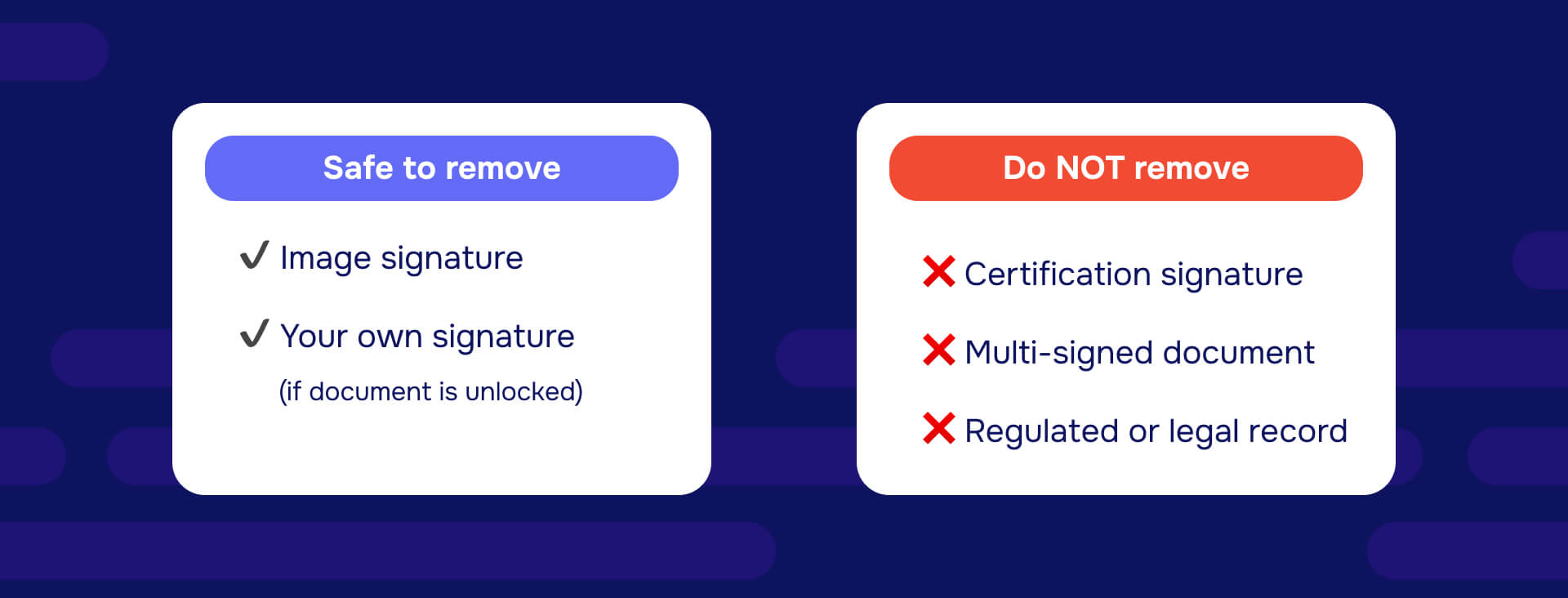
Is the signature just an image with no digital signature attached?→ You can delete it using any PDF editor that handles objects. Preserve a copy if the document had any legal significance. For sensitive documents, use permanent redaction rather than simple deletion to ensure complete removal.
Is it a digital signature and you're the only signer, and the document isn't locked?→ Clear your signature through the PDF viewer, save a backup first, make your edits, and re-sign. This is the straightforward path when you control the document and signature.
Are there multiple signatures or a certification lock preventing changes?→ Stop. Request an unsigned source copy from whoever initiated the document, or start from scratch with a new version. If changes are material, all signers will need to re-execute. Don't attempt surgical signature removal on executed multi-party agreements.
Do you need to redact sensitive information from a signed document?→ Use tools designed to work with signed PDFs that can redact without invalidating signatures when permissible, or create a redacted unsigned copy while preserving the original signed version as a separate record.
Are you dealing with regulated documents or potential litigation?→ Consult your legal and compliance teams before taking any action. Preservation obligations, evidentiary rules, and regulatory requirements override convenience in these contexts.
Safe workflows to adopt going forward
Maintain unsigned master files: Always keep a separate unsigned version before initiating signature workflows. Save it with clear naming ("_MASTER" or "_UNSIGNED" suffix) in a protected location. This unsigned master becomes your source for future edits.
Version control discipline: Implement clear version naming conventions that distinguish drafts, versions out for signature, and fully executed final copies. Include dates and signer identifiers in filenames.
Separate working copies from records: Treat fully executed signed documents as immutable records. Store them separately from working files. When you need to make changes, work from unsigned sources or new draft versions, not the signed originals.
Document approval workflows: For documents requiring multiple reviews and approvals before final signature, complete all edits and obtain all approvals before initiating signature workflows. This minimizes the need to remove signatures for corrections.
Train teams on signature implications: Ensure everyone who handles signed documents understands the difference between signature images and digital signatures, knows when removal is appropriate vs. problematic, and follows organizational policies for handling executed documents.
Closing the loop on "removing signatures"
For most situations where you're searching "how to remove a signature from a PDF," the optimal outcome isn't a technical hack—it's a clean, predictable workflow that distinguishes between working copies and executed, signed records.
Treat signature removal as a security and compliance decision, not just a formatting adjustment. The extra care invested in proper handling protects your legal interests, maintains evidentiary integrity, and demonstrates professionalism in document management.
Sources: Adobe on signed PDF limitations and clearing signatures, TechTarget on digital signature removal
What are your next steps for handling PDF signatures?
Signature removal isn't about finding the right "delete" button - it's about understanding what you're working with and what the consequences are.
Start by identifying whether you're dealing with signature images or digital signatures. Images are straightforward to remove. Digital signatures require careful consideration of technical capabilities, legal implications, and compliance requirements.
Adopt workflows that prevent signature removal problems before they occur: maintain unsigned master copies, implement clear version naming, separate working files from executed records, and train teams on signature implications.
When you encounter situations requiring signature removal on high-stakes documents - contracts, regulated records, documents subject to litigation holds—pause and consult appropriate expertise before proceeding. The cost of getting it wrong far exceeds the time invested in getting it right.
For organizations handling signed documents at scale, invest in proper document lifecycle management, signing platform governance, and staff training. These investments pay dividends in reduced errors, better compliance posture, and stronger legal positions when disputes arise.
Need to redact sensitive information from signed documents? Redactable can permanently remove confidential data from PDFs while preserving digital signatures when permissible, or create clean redacted copies for sharing. Try Redactable for AI-powered permanent redaction, or book a demo to see redaction in action.