
Heritage Valley Health System paid $950,000 in a 2023 HIPAA settlement after a ransomware attack exposed Protected Health Information. OCR's investigation found inadequate risk analysis and audit controls - the organization couldn't demonstrate proper security measures because they lacked comprehensive documentation of system access and security activities.
The audit control failure transformed a security incident into a compliance catastrophe.
IBM's 2025 Cost of Data Breach Report found that 53% of breaches involved customer PII like Social Security numbers, medical records, and financial data. Organizations with comprehensive audit trails could reconstruct attack sequences, identify compromised data, and demonstrate due diligence to regulators. Those without audit trails faced average breach costs exceeding $4.5 million - and regulatory penalties that multiplied those costs.
Research shows that 87% of organizational records contain some form of PII requiring audit trail documentation. Yet many organizations either maintain inadequate logs that can't satisfy auditors, or over-redact their audit trail reports and accidentally obscure the very evidence regulators need to verify compliance.
This guide explains what audit trails are, why they're legally required across healthcare, financial services, and data protection regulations, how to implement them properly, and how to balance transparency requirements with PII protection when generating audit trail reports.
What is an audit trail: meaning and definition
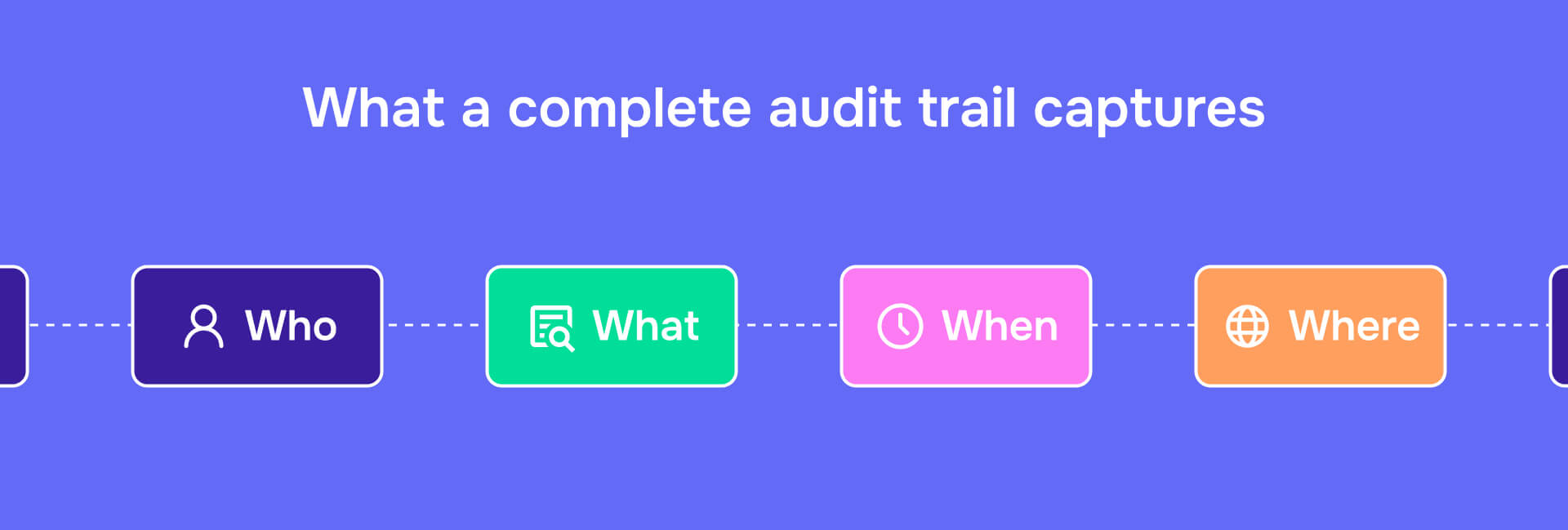
An audit trail is a chronological record of system activities that documents who accessed data, what actions they performed, when those actions occurred, and where they happened within a system. NIST defines it as documentary evidence that enables reconstruction of the sequence of activities affecting any operation or transaction.
The key distinction: audit trails differ from simple system logs because they're designed for forensic review and compliance verification, not just technical troubleshooting.
A complete audit trail captures:
- Who: User identification, authentication credentials, role assignments
- What: Specific actions - view, edit, delete, download, print, share
- When: Precise timestamps for each activity
- Where: System location, terminal ID, IP address, geographic data when relevant
- Why: Business justification or authorization basis when applicable
For PII protection, audit trails create a paradox: they must log data handling activities without storing the raw sensitive data itself. The trail documents that "User ID 47 accessed Patient Record 12345 at 14:32 on January 8, 2026" - but the audit trail itself shouldn't contain the patient's name, diagnosis, or other Protected Health Information.
This balance between transparency and privacy is what makes audit trail implementation complex for organizations handling sensitive data.
What is the purpose of audit trails
The primary purpose of audit trails is accountability - when every data access and modification is logged with user attribution and timestamps, unauthorized activity becomes detectable and individuals become responsible for their actions.
This accountability serves four critical functions:
Breach detection and investigation: Audit trails provide forensic evidence to determine what data was accessed, by whom, and whether exfiltration occurred. Without audit trails, organizations can't answer basic incident response questions during breaches.
Regulatory compliance: HIPAA's Audit Controls (45 CFR §164.312(b)) mandate mechanisms that record and examine activity in systems containing ePHI. During OCR audits, organizations must produce these records - without audit trails, compliance cannot be demonstrated.
Fraud prevention: Regular audit trail reviews reveal patterns indicating fraudulent activity - employees accessing records they have no business reason to view, unusual access volumes, modifications to financial data outside normal processes.
Legal defensibility: When litigation involves data handling practices, audit trails provide objective evidence. Employment disputes, malpractice cases, contract disagreements - audit trails resolve factual disputes with verifiable records.
The main purpose of audit trails is turning data handling from an invisible, unverifiable activity into a documented, reviewable process. Organizations without audit trails can't detect problems, can't prove compliance, and can't defend their practices when questioned.
Audit trail requirements across regulations
Multiple regulations mandate specific audit trail implementation and retention requirements:
| Regulation | Key Requirements | Retention Period | Primary Citation |
|---|---|---|---|
| HIPAA | Hardware/software mechanisms recording ePHI access; regular review of access reports; examination of system activity | 6 years from creation or last active date | 45 CFR §164.312(b) |
| GDPR | Records of processing activities; controller/processor details; data categories; recipients; security measures | Duration of processing activities | Article 30 |
| CCPA | Consumer request records (access, deletion, opt-out); verification methods; response actions | Minimum 12 months | California Civil Code |
| SOX | Immutable financial transaction trails; approval documentation; segregation of duties verification | 7 years | Sarbanes-Oxley Act |
| NIST | Audit record generation; tamper-evident storage; regular review; suspicious activity alerts | Aligned with operational/regulatory needs | SP 800-53 |
Healthcare-specific requirements: The University of Wisconsin's HIPAA compliance policy recommends quarterly reviews of audit logs as best practice, with documentation of the review process itself. Healthcare organizations must log PHI access even when authorized and routine - proving that only appropriate personnel accessed records for legitimate treatment, payment, or operations purposes.
Audit trail examples across industries
Understanding how audit trails work in practice requires examining specific implementation examples across different contexts.
Document audit trail example
A document audit trail tracks every interaction with a file - creation, opening, editing, sharing, downloading, printing. For a compliance report containing employee PII:
- January 5, 2026, 09:15 - Document created by User ID: ComplianceManager47
- January 5, 2026, 14:32 - Opened by User ID: LegalCounsel12
- January 5, 2026, 14:47 - Section 3 edited by User ID: LegalCounsel12 (45 characters added)
- January 6, 2026, 11:20 - Shared with User ID: HRDirector09 (view-only access)
- January 6, 2026, 16:05 - Downloaded by User ID: HRDirector09
- January 7, 2026, 10:15 - PII redacted by User ID: ComplianceManager47 using Redactable
- January 7, 2026, 10:22 - Redaction certificate generated
Redactable's redaction certificate serves as an audit trail specifically for the redaction process itself, documenting what sensitive data was redacted, when the redaction occurred, who performed it, and providing cryptographic verification that redaction was permanent. This certificate becomes part of the compliance documentation chain, proving that PII protection steps were taken before document sharing.
This trail demonstrates proper handling - appropriate personnel accessed the document for business purposes, and PII was permanently redacted before external sharing. The audit trail itself contains no sensitive data, only metadata about who did what and when.
Healthcare audit trail example
Healthcare audit trails must log all ePHI access regardless of whether that access was authorized:
- Patient ID: 847392 (identifier, not name)
- Accessed by: Nurse Station 4, User ID: RN_Johnson_0472
- Timestamp: January 8, 2026, 14:32:17
- Action: View medical history
- Justification: Patient admitted to ER, treatment authorization
- Session duration: 3 minutes, 42 seconds
- Records viewed: Medication list, allergy information, recent lab results
- No modifications made
When generating audit trail reports for regulatory review, the patient's actual name and medical details remain redacted. The Office for Civil Rights needs to verify that access controls worked and that only appropriate personnel viewed records - they don't need to see what those records contained.
Financial services audit trail example
SOX compliance requires audit trails showing financial transaction approval and modification:
- Transaction ID: FIN_2026_00847
- Type: Journal entry adjustment
- Amount: $47,293.18
- Initiated by: AccountantID_0394
- Timestamp: January 8, 2026, 09:15:33
- Approved by: ControllerID_0012
- Approval timestamp: January 8, 2026, 11:47:09
- Posted to general ledger: January 8, 2026, 11:48:22
- Quarterly review conducted: April 15, 2026 by AuditCommitteeID_001
- No post-approval modifications
This trail demonstrates proper segregation of duties (different people initiated and approved), documents approval timing, and shows that no unauthorized changes occurred after posting.
What is an audit trail in healthcare specifically
Healthcare audit trails carry unique requirements because Protected Health Information demands stricter protections than most other data types.
The Office for Civil Rights conducts periodic HIPAA audits focusing specifically on whether covered entities maintain adequate audit controls. Organizations must demonstrate:
Access logging for all ePHI systems: Electronic health records, billing systems, lab information systems, pharmacy systems, patient portals - every system containing PHI must generate audit logs tracking who accessed what information and when.
Regular review protocols: Quarterly review is recommended best practice, with documentation proving that reviews occurred and identifying how anomalies were addressed.
Incident investigation capability: When a breach occurs or suspicious activity is detected, audit trails must enable complete reconstruction of what happened. Who accessed the data? When? Was it authorized? Was data exfiltrated?
Six-year retention: HIPAA requires retention for six years from creation or last active date. This means audit logs from 2020 must remain accessible through 2026.
Role-based access documentation: Audit trails must show that access controls worked - that only users with appropriate roles accessed specific types of PHI, and that temporary access grants (for coverage situations) were properly logged and terminated.
The challenge in healthcare: audit trails must be comprehensive enough to satisfy OCR audits, but when generating reports for those audits, organizations must redact the actual PHI while preserving the evidence of proper access controls.
PII in audit trails: what to redact vs. what to retain
This creates the most confusion: audit trails must document PII handling without containing raw PII themselves.
What to retain in audit trail reports
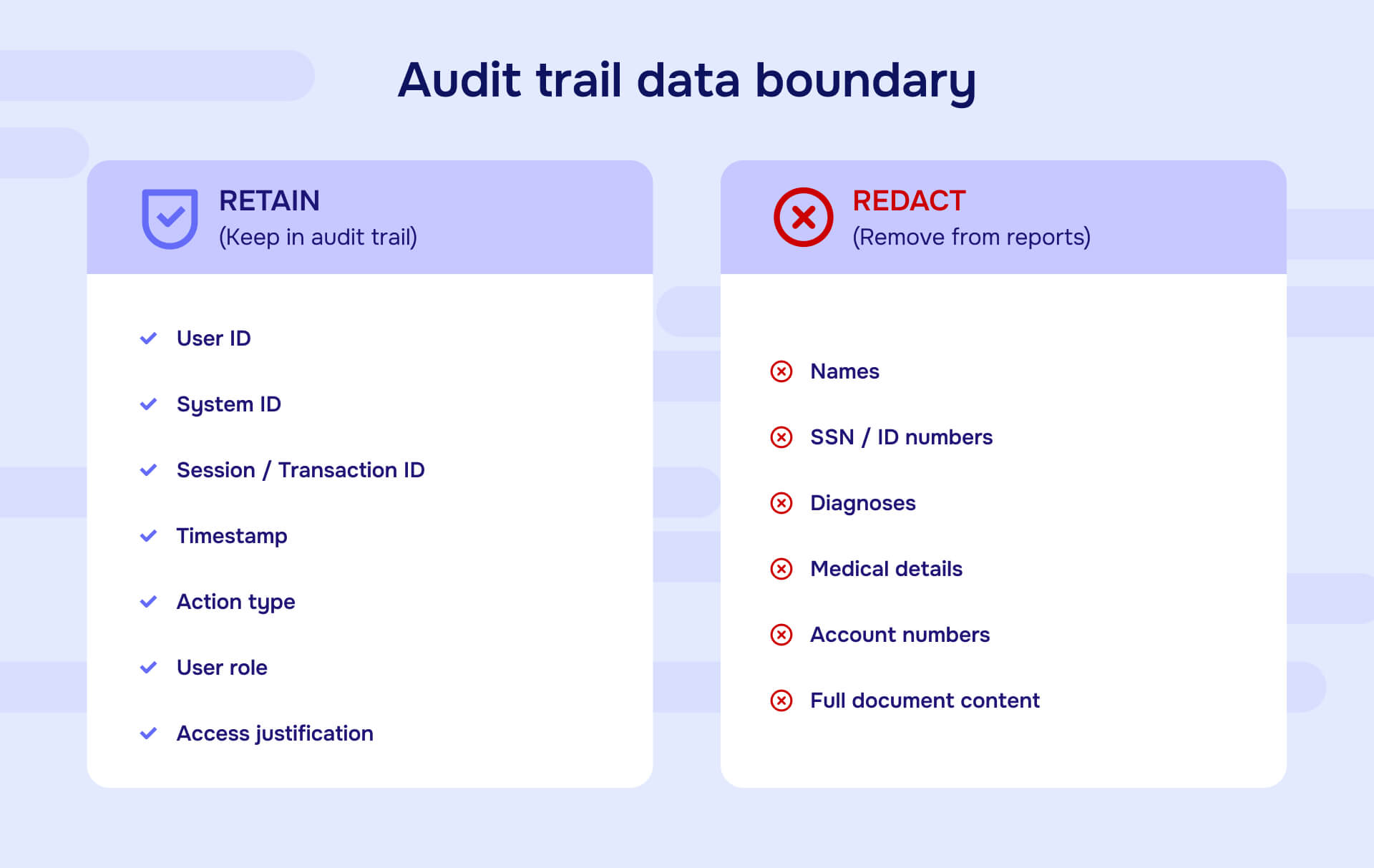
Non-sensitive identifiers: User IDs, system IDs, session IDs, transaction IDs - these enable tracking without revealing personal information.
Timestamps: Exact date and time stamps for every logged activity. These are essential for reconstructing sequences and demonstrating timely response to incidents.
Action types: What happened - view, edit, delete, download, print, share, access denied. This documents the activity without exposing the data itself.
User roles and permissions: What authorization level the user possessed at the time of access. This proves proper access controls.
System locations: Which terminal, IP address, or geographic location the activity originated from. Critical for detecting unauthorized access.
Justification codes: Healthcare often uses reason codes (treatment, payment, operations) that document why access occurred without revealing patient details.
What to redact from audit trail reports
Raw PII values: Social Security numbers, patient names, addresses, account numbers - replace with non-identifiable reference numbers or hash values.
Protected Health Information: Actual diagnoses, medications, treatment details, test results. The audit trail shows that "Lab Results for Patient ID 847392" were accessed - not what those results contained.
Financial account details: Actual account numbers, credit card information, routing numbers. Reference by tokenized identifier instead.
Full document content: When logging document access, record that "Confidential Settlement Agreement" was viewed - not the settlement terms themselves.
The boundary: include enough detail that auditors can verify proper access controls and investigate incidents, but exclude the sensitive data that those controls were designed to protect.
NIST's impact rating framework helps determine what requires redaction - categorize PII by potential harm from unauthorized disclosure (low, moderate, high), then apply redaction proportionally.
How to implement effective audit trails
Audit trail implementation requires both technical mechanisms and organizational procedures.
Technical implementation steps
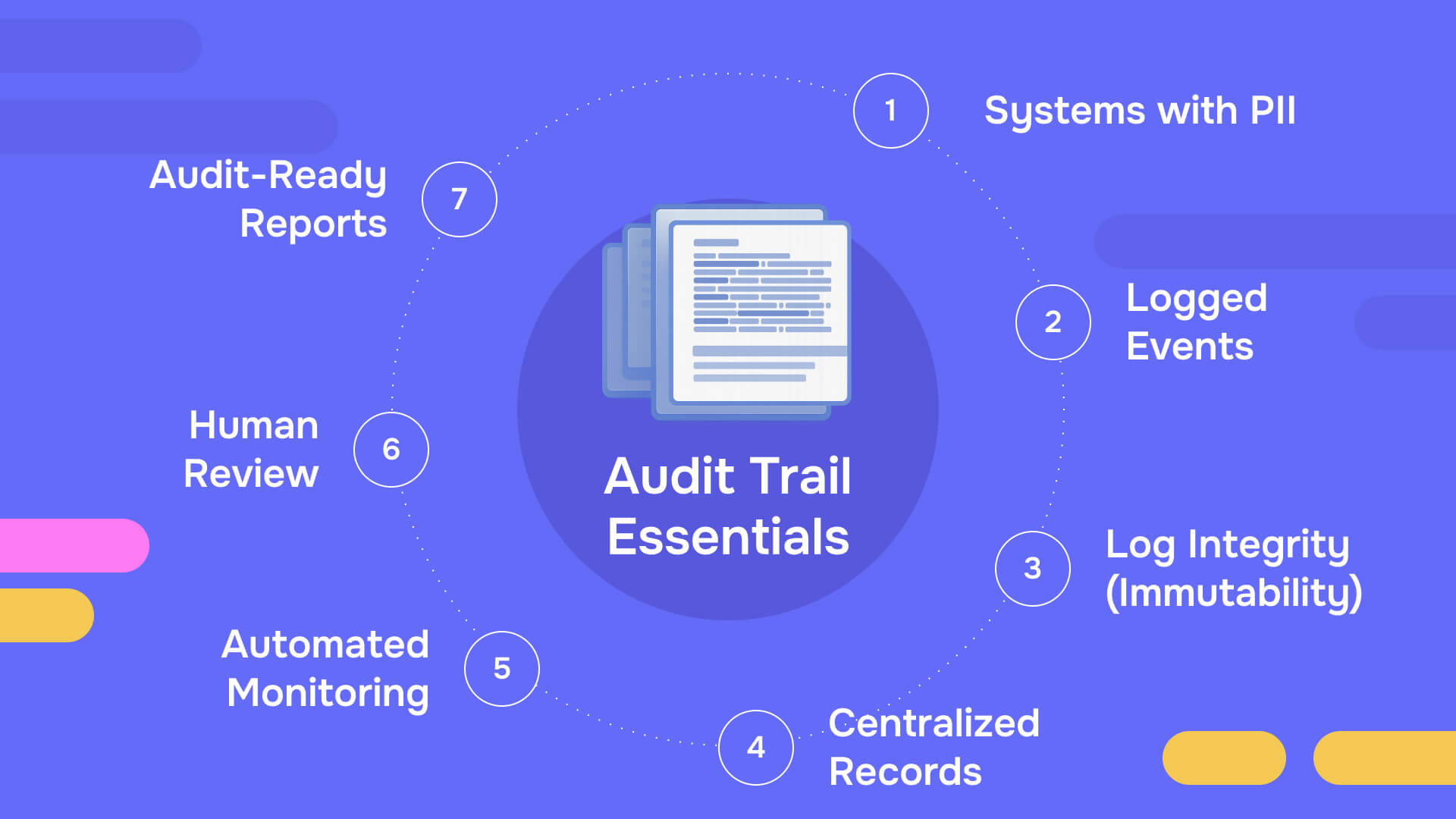
Inventory all systems containing PII or sensitive data: You can't audit what you haven't identified. Document every system, application, database, and file share containing information subject to regulatory requirements.
Enable comprehensive logging: Most systems have audit logging capabilities that default to disabled. Enable logging for:
- User authentication and authorization
- Data access (read operations)
- Data modifications (create, update, delete)
- Permission changes
- System configuration changes
- Failed access attempts
- Privileged user activities
Ensure log immutability: Audit logs must be tamper-evident or stored in write-once systems. If bad actors can modify logs to hide their activities, the audit trail becomes worthless.
Centralize log collection: Aggregate logs from distributed systems into a central repository that enables correlation and analysis. An attack that spans multiple systems only becomes visible when logs are analyzed together.
Implement automated monitoring: Manual review of millions of log entries is impossible. Automated tools detect anomalous patterns - unusual access volumes, after-hours activity, privilege escalation attempts, geographic impossibilities (same user accessing systems from two distant locations simultaneously).
Procedural implementation requirements
Define retention policies: Regulatory requirements typically mandate multi-year retention. Implement automated retention with cryptographic verification that logs haven't been deleted prematurely.
Establish review schedules: Quarterly review is healthcare best practice. Financial systems may require monthly review. Define who conducts reviews, what they look for, and how findings are escalated.
Document the audit trail process: The procedures for log generation, storage, review, and retention should themselves be documented and auditable. When regulators audit your audit trail program, they need to see that you followed defined processes consistently.
Train personnel on proper interpretation: Audit logs contain false positives. Training helps reviewers distinguish between legitimate activity that looks suspicious and actual security incidents requiring response.
Generate audit trail reports properly: When preparing reports for regulatory review or legal proceedings, ensure that sensitive data is permanently redacted while preserving the metadata that demonstrates compliance. Redactable generates audit trail reports that document what was redacted, when, and by whom - creating an audit trail of the audit trail itself.
Common audit trail pitfalls and how to avoid them
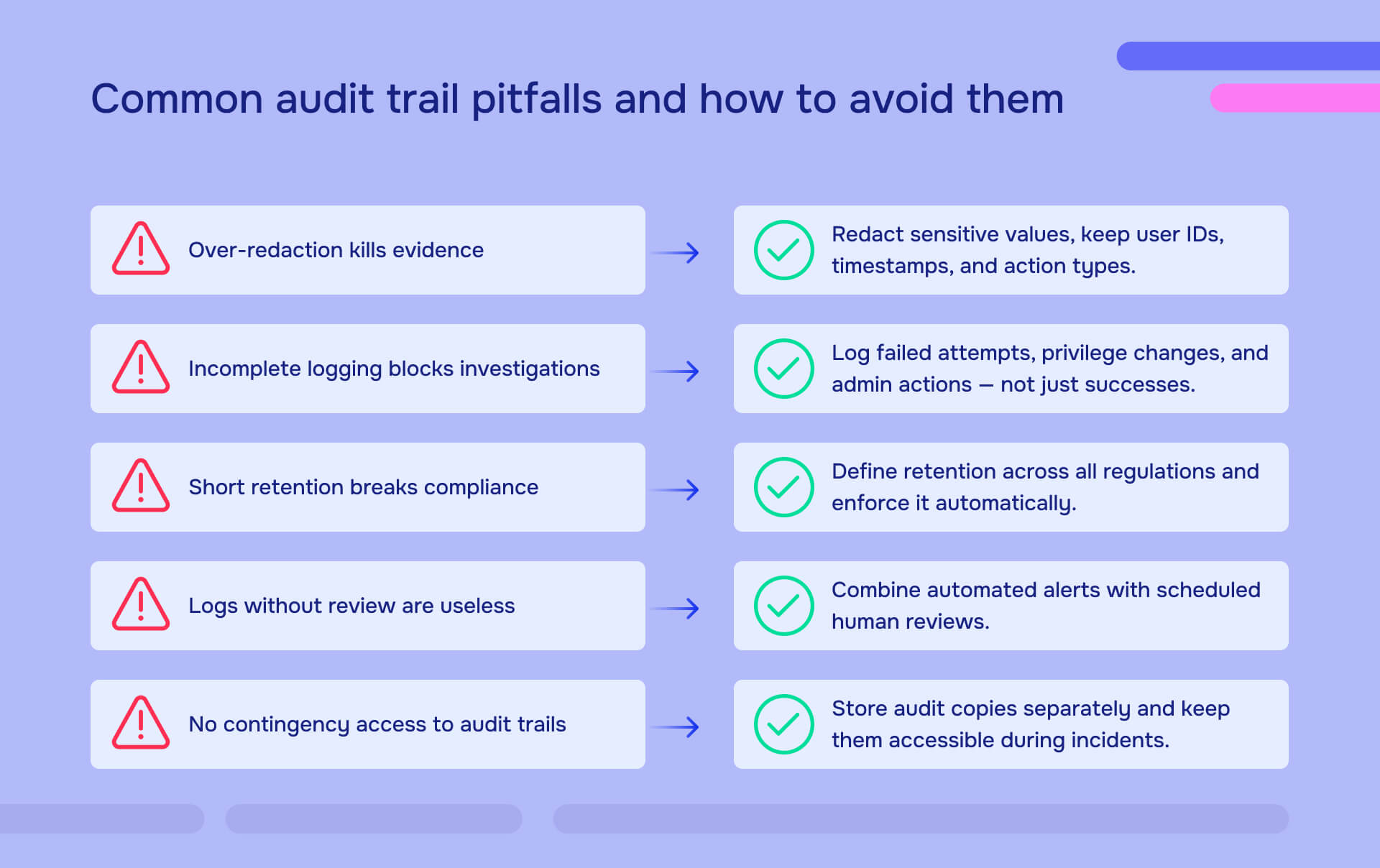
Over-redacting obscures compliance evidence: Redacting every user ID, timestamp, and action type makes audit trails useless. Fix: Redact sensitive data values while preserving activity metadata. "User ID RN_472 accessed Patient ID 84732" provides evidence; over-redacted trails provide nothing.
Under-logging makes investigation impossible: Logging only successful operations while ignoring failed attempts creates gaps. Fix: Enable comprehensive logging including failed access attempts, privilege escalations, and administrative activities.
Inadequate retention violates compliance: Deleting logs prematurely eliminates evidence needed for investigations. Fix: Calculate retention requirements across all regulations, implement automated enforcement, allocate sufficient storage.
No regular review means undetected problems: Generating logs that no one reviews defeats the purpose. Fix: Implement scheduled review protocols with documented findings. Automated monitoring handles real-time detection; periodic human review catches patterns automated systems miss.
Lack of contingency planning: Heritage Valley's settlement resulted partly from inadequate contingency planning for audit trail access during incidents. Fix: Store audit copies in separate locations that remain accessible when primary systems are compromised.
Audit trail software and report generation
Organizations need capability to generate audit trail reports for regulators, auditors, and legal proceedings. These reports must balance completeness with proper PII protection.
Role-based access to audit data: Not everyone needs full audit trail access. Implement permissions that allow security teams to investigate incidents while restricting general access to audit logs.
Automated report generation: Manual compilation of audit trail data from multiple systems creates errors and consumes excessive time. Automated report generation ensures consistency and completeness.
Built-in redaction for sensitive data: When audit trail reports will be shared externally, proper redaction ensures that sensitive data values are permanently removed while metadata remains intact. This requires actual data removal from file structures, not visual masking that leaves data recoverable.
Audit trail of audit trail activities: Generate certificates showing what was included in reports, what was redacted, who generated the report, and when. This creates the defensible documentation chain that regulators and courts require.
Export capabilities in required formats: Regulators may specify report formats. CSV exports for spreadsheet analysis, PDF reports for legal proceedings, JSON for technical analysis - flexibility in export formats prevents bottlenecks during urgent investigations.
The key requirement: audit trail reports must be complete enough to satisfy their intended purpose while containing no raw sensitive data that could create secondary breaches if the reports themselves are mishandled.
Creating audit trails that survive scrutiny
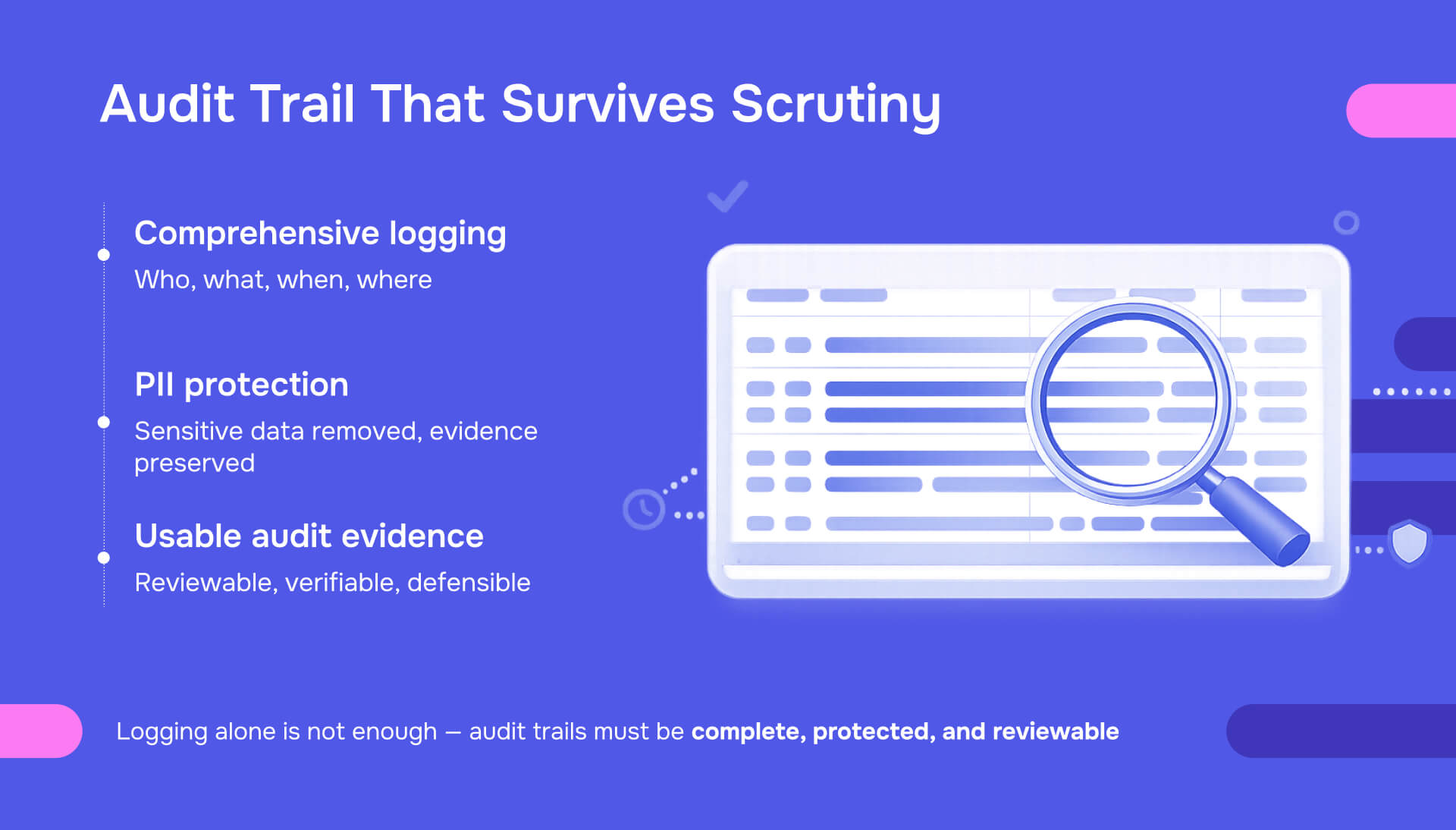
Effective audit trails balance three competing requirements: comprehensive activity logging that captures everything needed for investigations, proper PII protection that prevents the audit trail itself from becoming a privacy risk, and usability that enables actual review and analysis rather than overwhelming personnel with unusable data volumes.
Organizations that implement comprehensive audit trails demonstrate due diligence that reduces both regulatory risk and breach impact. Those that treat audit trails as compliance checkboxes - generating logs that no one reviews or that can't actually reconstruct events during investigations - gain no protection from either security incidents or regulatory scrutiny.
The test of an audit trail program: during an incident or audit, can you quickly produce verifiable evidence showing who accessed what data, when access occurred, whether access was authorized, and what actions were taken? If the answer is "no" or "maybe," the audit trail program needs immediate attention.
Start with regulatory requirements for your industry, implement technical logging capabilities across all systems containing sensitive data, establish documented review procedures, train personnel on proper interpretation and reporting, and ensure that audit trail reports properly protect PII while preserving the evidence that demonstrates compliance.
Audit trails aren't optional. They're the foundation of accountability, the evidence that proves due diligence, and the forensic record that enables investigation when prevention fails. Implement them properly or face the consequences when regulators, auditors, or courts demand evidence you cannot produce.
Frequently asked questions
An audit trail is a chronological record documenting who accessed data, what actions they performed, when those actions occurred, and where they happened within a system. It's important because regulations like HIPAA, GDPR, and SOX legally require audit trails, they provide forensic evidence during breach investigations, they demonstrate compliance during regulatory audits, and they create accountability that deters unauthorized access. Organizations without audit trails cannot prove they implemented required safeguards, cannot investigate incidents effectively, and face significantly higher penalties when breaches occur.
Complete audit trails must include: user identification showing who performed actions, precise timestamps documenting when actions occurred, specific action types (view, edit, delete, download, print, share), system locations identifying where actions originated (terminal IDs, IP addresses), authorization levels showing what permissions users possessed, business justifications when applicable, and session information documenting duration and scope of access. For regulatory compliance, audit trails should capture these elements without storing the raw sensitive data that actions involved - documenting that "Patient Record 84732" was accessed rather than including the actual medical information.
In healthcare, audit trails serve multiple critical purposes required by HIPAA: demonstrating that only authorized personnel access Protected Health Information for legitimate treatment, payment, or operations purposes; detecting inappropriate access such as employees viewing records of family members or celebrities; enabling investigation when breaches occur to determine what PHI was compromised; proving compliance during Office for Civil Rights audits; and creating accountability that deters privacy violations. Healthcare audit trails must be retained for six years and reviewed quarterly to identify anomalies, with the audit trail documentation itself becoming part of the compliance record.
Retention requirements vary by regulation: HIPAA requires six years from creation or last active date for healthcare audit trails; GDPR doesn't specify exact timelines but requires retention as long as processing activities continue; CCPA mandates minimum 12 months for consumer request records; SOX requires retention for seven years for financial audit trails; and NIST recommends retention periods aligned with operational and regulatory needs, typically multi-year for systems containing PII. Organizations subject to multiple regulations must retain audit trails for the longest applicable period, and retention policies should account for litigation holds that may require preservation beyond standard timelines.
System logs record technical events for troubleshooting and performance monitoring - server errors, network connections, application crashes. Audit trails are specifically designed to document security-relevant activities for compliance verification and forensic investigation - who accessed sensitive data, what modifications occurred, whether proper authorization existed. While system logs may capture some of the same information, audit trails are structured to enable reconstruction of event sequences, demonstrate regulatory compliance, and provide evidence for investigations. Audit trails require immutability, defined retention periods, regular review protocols, and often must be produced for regulators and courts - requirements that don't typically apply to general system logs.
Small organizations should start by identifying all systems containing PII or regulated data, enable built-in audit logging features (most applications have logging that defaults to disabled), centralize logs in a secure location with automated retention, establish quarterly review schedules with documented findings, train personnel on interpreting audit data and escalating anomalies, implement role-based access so only appropriate users can view audit trails, and define procedures for generating audit trail reports with proper PII redaction when regulators or auditors request documentation. Many cloud-based systems include audit trail capabilities that don't require expensive infrastructure - leverage these rather than attempting to build custom solutions. The key is systematic implementation even at small scale, not sophisticated technology.
Audit trails often must reference PII to document what data was accessed, but they should not store raw sensitive values. Use non-identifiable reference numbers (Patient ID 84732 rather than "John Smith"), tokenized identifiers for financial accounts, role-based justification codes rather than detailed medical information, and hash values for sensitive identifiers that require matching without exposure. When generating audit trail reports for external sharing, apply permanent redaction to any remaining sensitive values while preserving timestamps, user IDs, action types, and other metadata that demonstrates compliance. The goal is creating verifiable records of activity without making the audit trail itself a target for data theft.
More About
Data Privacy

Start Redacting Instantly

No credit card required
Start redacting for free
Cancel any time

Over 98% time savings with AI-powered redaction

