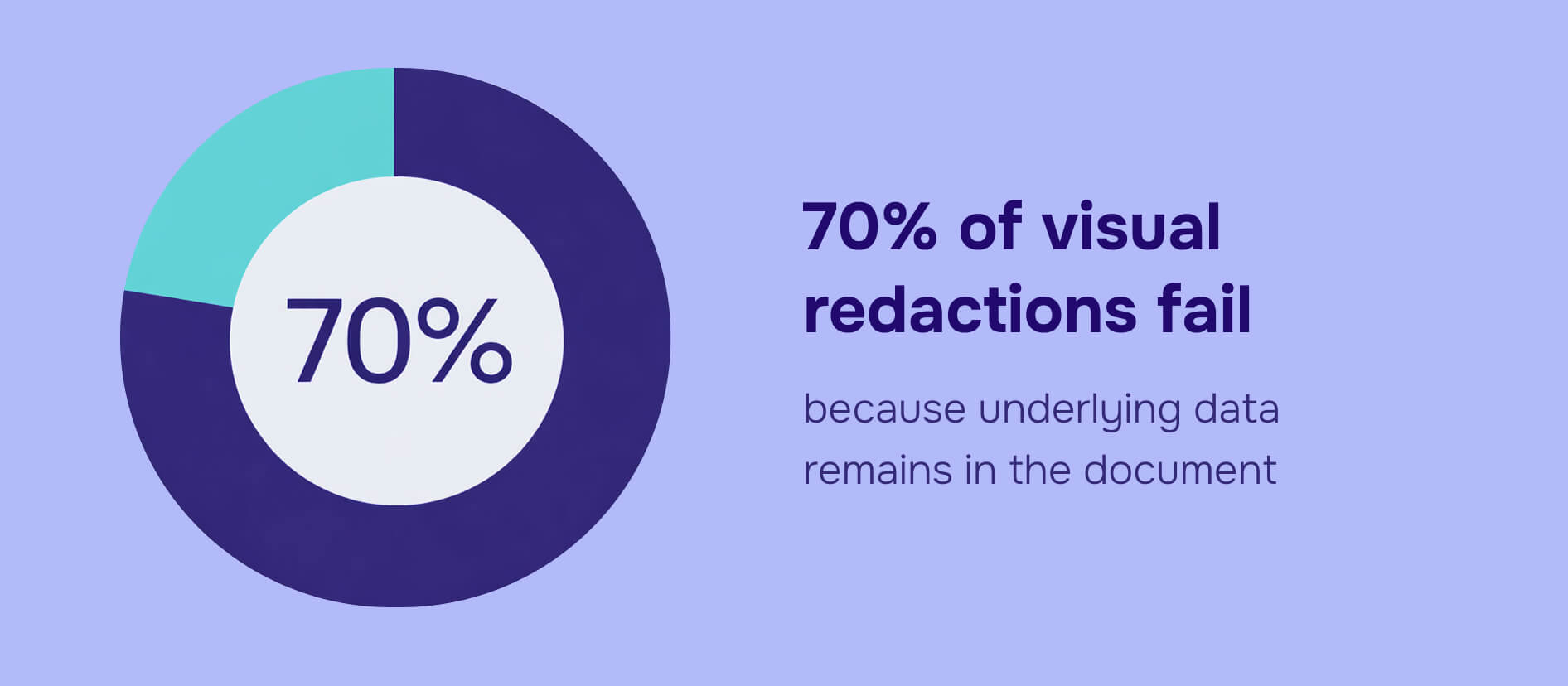
87% of organizations faced PII exposure risks in 2025 due to inadequate redaction practices. The average cost of these breaches reached $4.88 million. The troubling part: simple visual blackouts fail 70% of the time because underlying text persists in the document. Organizations must ensure that both personally identifiable information and personal identifiable information (PII) are properly redacted to protect sensitive data.
Federal courts exposed 1.2 million Social Security numbers in supposedly "redacted" PACER filings last year. The reason? Metadata wasn't scrubbed from the documents, triggering Department of Justice scrutiny and revealing a fundamental misunderstanding of what proper redaction actually means. Safeguarding Personal Identifiable Information (PII) is more critical than ever in a data-driven world, especially as organizations manage growing datasets.
If your organization handles documents containing personally identifiable information - and most do - this isn't a theoretical risk. GDPR violations can cost up to 4% of global revenue. Major HIPAA breaches start at $50,000 per incident. The question isn't whether you need PII redaction, but whether your current methods actually work. Organizations must prioritize the protection of Personally Identifiable Information (PII) to maintain customer trust and protect customers' data.
This guide breaks down what PII redaction is, the federal rules governing it, how to implement it correctly, and why the most common approaches leave you exposed. Effective redaction is essential for protecting an individual's identity and customer information across large datasets.
Introduction to PII Redaction
PII redaction is the essential process of identifying and removing or obscuring sensitive information—such as personally identifiable information (PII)—from data to prevent data breaches and protect an individual’s identity. In today’s digital landscape, sensitive data can reside in multiple file formats, including documents, images, audio files, and scanned documents. This makes comprehensive PII redaction a cornerstone of any organization’s data security and regulatory compliance strategy.
Whether you’re handling contracts, emails, audio transcripts, or scanned records, PII redaction ensures that personal identifiers like names, addresses, and account numbers are not exposed to unauthorized parties. By systematically redacting PII, organizations not only safeguard sensitive information but also reduce the risk of compliance violations and reputational damage. Effective redaction is more than a technical requirement—it’s a critical process for maintaining trust and security in every file, across every workflow.
How Does PII Redaction Work?
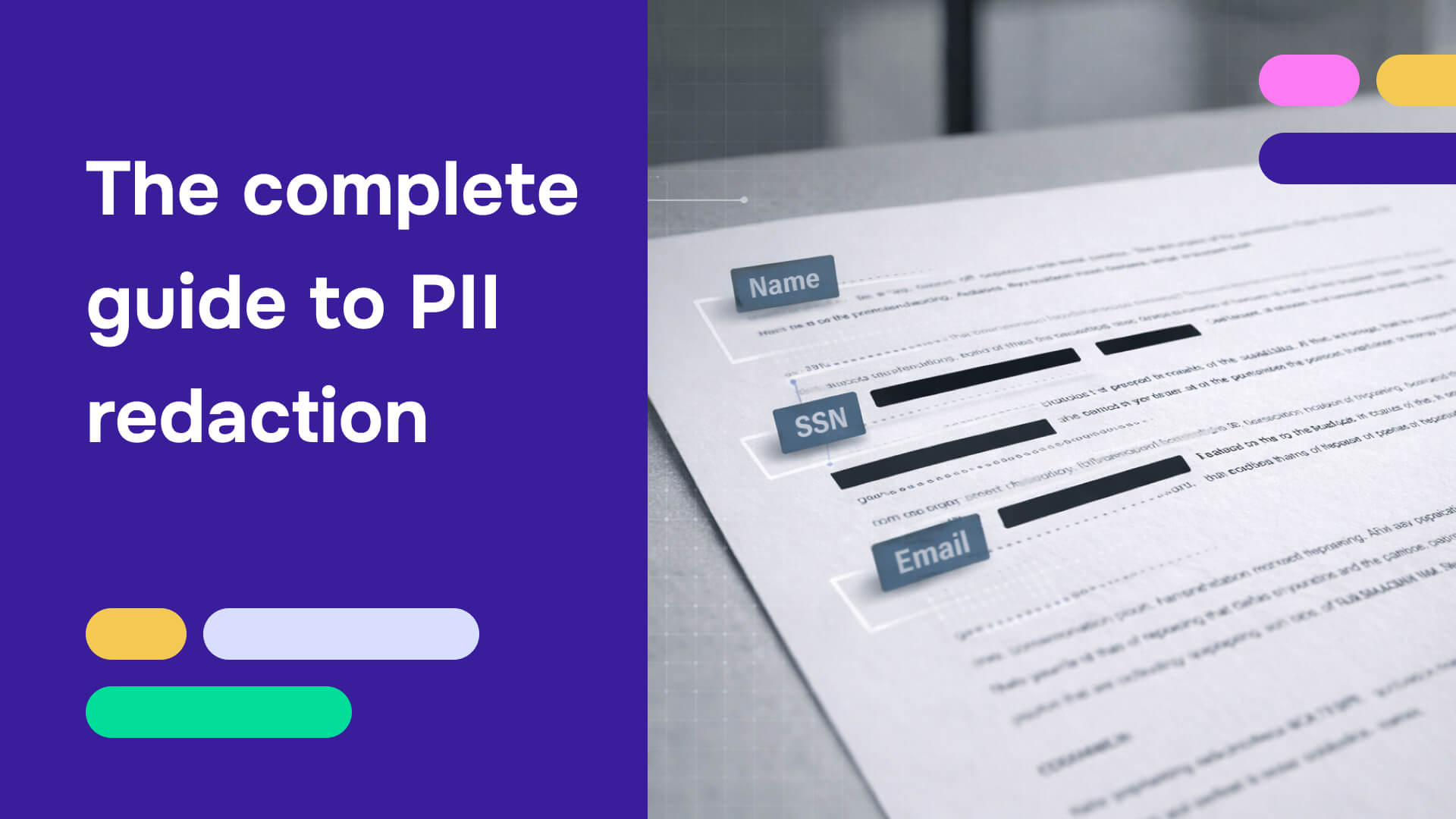
Redaction is the permanent removal or obscuring of data that can identify individuals - names, Social Security numbers, addresses, email addresses, phone numbers - ensuring it cannot be recovered through copy-paste, metadata extraction, or any other method. PII can also include other information that, when combined with direct identifiers, can be used to identify or trace an individual.
The critical word here is "permanent." Most people think they're redacting when they're actually
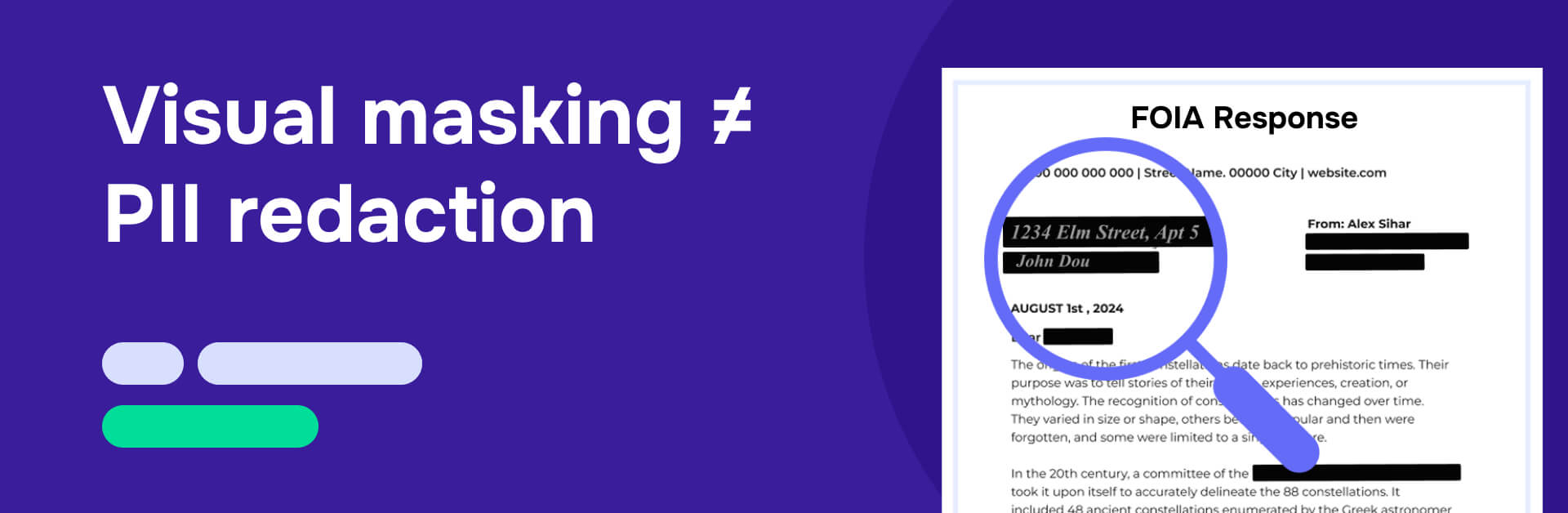
Drawing a black box over text in a PDF doesn't remove the underlying content. The text remains in the file, fully searchable and recoverable. Someone can copy the entire document, paste it into a text editor, and see everything you thought you'd hidden. This isn't theoretical - it happens regularly in legal discovery, FOIA responses, and regulatory submissions.
True PII redaction deletes the underlying content entirely. NIST SP 800-122 establishes this as the "de-identification" standard that federal agencies must follow. The document text is gone, not covered. The metadata is stripped, not ignored. To ensure all relevant information is addressed, organizations must define specific redaction rules and criteria tailored to their data privacy and compliance requirements.
Here's what most organizations miss: PDF files contain three layers of potential PII exposure:
- Visible text - What you see on the page
- Hidden objects - Transparent text boxes, objects covered by other elements, content with background-matching colors, or objects positioned outside PDF view boundaries
- Metadata - File creator information, edit history, sharing records, comments, and tracked changes
Non-sensitive PII includes indirect identifiers that may not identify an individual on their own but could do so when combined with other data.
Most PDF editing tools don't address metadata removal, which means bad actors can access personal data even from documents that appear properly redacted. This is why the federal courts PACER incident happened - the visible SSNs were masked, but the metadata remained intact.
Learn examples and types of PII in our Personal Information list
What happens when PII redaction fails?
The regulatory landscape treats improper PII handling as a severe violation, and the financial penalties reflect that severity. PII redaction software must ensure compliance with evolving data privacy regulations to avoid costly legal penalties, making ensuring compliance a critical aspect of any redaction process.
GDPR violations can reach 4% of global annual revenue. For a mid-sized company with $50 million in revenue, that's a $2 million fine for a single breach. The regulation doesn't distinguish between intentional exposure and negligent practices - if PII leaks from improperly redacted documents, you're liable.
HIPAA violations start at $50,000 per incident, with no upper limit if the Department of Health and Human Services determines the violation was due to willful neglect. A single improperly redacted document containing multiple patient records can generate hundreds of thousands in fines.
California's CCPA imposes penalties up to $7,500 per violation. If you improperly disclose the PII of 100 California residents, you're looking at $750,000 in potential fines.
Beyond regulatory penalties, data breaches carry operational costs. Incident response, legal fees, notification requirements, credit monitoring services for affected individuals, and reputational damage combine to create the $4.88 million average breach cost. Effective redaction reduces the risk of exposing sensitive data, which can cost millions of dollars in damages.
The audit trail problem compounds these risks. When you can't demonstrate proper redaction procedures, regulatory investigations become more severe. Manual redaction makes defensible documentation nearly impossible - you can't prove what was redacted when, by whom, and under what review process when your team is drawing black boxes in Adobe Acrobat.
Read also: Most embarrassing redaction failures in history
Federal PII redaction rules you need to know
Multiple federal frameworks govern PII redaction, each with specific requirements for different contexts. Organizations must protect sensitive PII to comply with data privacy laws such as HIPAA, GDPR, and CCPA.
NIST SP 800-122: The foundation
The National Institute of Standards and Technology Special Publication 800-122 provides a comprehensive framework for protecting PII confidentiality. The guidance mandates minimizing PII collection and retention, implementing access controls, using encryption for stored and transmitted data, and establishing secure disposal procedures.
For document redaction specifically, NIST requires organizations to apply de-identification techniques that permanently remove PII rather than simply obscuring it. Organizations should define clear redaction rules and parameters in accordance with NIST guidance to ensure consistent and compliant PII redaction. The standard applies primarily to federal agencies, but most compliance frameworks reference NIST as the baseline for proper PII handling.
HIPAA: Healthcare's 18 identifiers
Healthcare organizations must follow strict rules under the Health Insurance Portability and Accountability Act. The Department of Health and Human Services requires redacting 18 specific Protected Health Information identifiers before any disclosure:
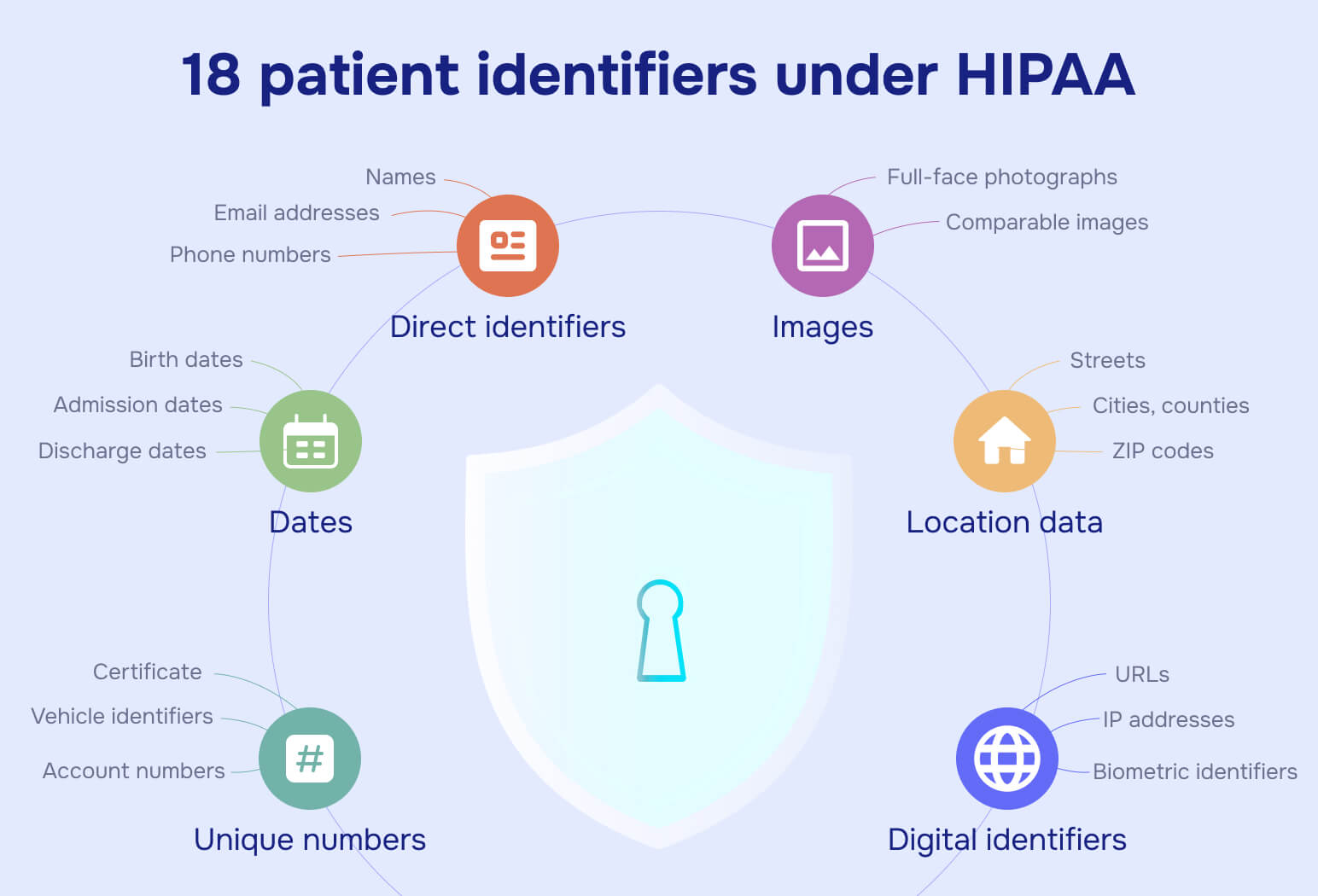
Names, geographic subdivisions smaller than state, dates (except year), telephone numbers, fax numbers, email addresses, Social Security numbers, medical record numbers, health plan beneficiary numbers, account numbers, certificate/license numbers, vehicle identifiers, device identifiers, web URLs, IP addresses, biometric identifiers, full-face photos, and any other unique identifying numbers or codes.
Healthcare organizations often manage extensive datasets containing sensitive information. Redaction software is designed to handle large volumes of data efficiently, making it ideal for organizations dealing with these extensive datasets.
Missing even one identifier in a disclosed document constitutes a HIPAA violation, with fines starting at $50,000 per incident.
DOJ and FRCP Rule 5.2: Court filings
The Department of Justice and Federal Rules of Civil Procedure Rule 5.2 mandate specific redaction practices for court documents. Social Security numbers must be redacted to show only the last four digits. Taxpayer identification numbers receive the same treatment. Birth dates must show only the year. Minor children's names must be replaced with initials.
These aren't suggestions - they're requirements for federal court filings. The PACER incident demonstrates that even federal systems sometimes fail to enforce their own standards properly.
CCPA and FTC: Consumer privacy
California's Consumer Privacy Act and FTC guidelines require secure disposal of PII when it's no longer needed for business purposes. When consumers request their data, organizations must redact other individuals' PII from the disclosed documents. The FTC emphasizes that disposal includes redaction—you can't keep full documents when you're only allowed to retain partial information.
PII redaction helps remove or hide sensitive data before it's shared, preventing privacy breaches or legal penalties.
Challenges in PII Redaction
Organizations face significant challenges when it comes to PII redaction, especially as the volume and complexity of data continue to grow. One of the biggest hurdles is managing large volumes of unstructured data, where personally identifiable information (PII) can be hidden in various formats and locations. This makes it difficult to consistently identify and redact sensitive information across all files.
Human error is another major risk factor. Manual redaction processes can easily miss instances of PII, leading to incomplete redaction and compromising data integrity. Additionally, the landscape of regulatory requirements and compliance obligations is constantly evolving, making it challenging for organizations to keep up and ensure ongoing compliance.
To address these challenges, organizations are increasingly turning to automated PII redaction tools. These solutions can automatically identify and redact sensitive information in real time, reducing the risk of human error and ensuring that all identifiable information (PII) is properly protected, regardless of data format or volume.
How to implement PII redaction correctly
Proper PII redaction follows a systematic process that addresses all three layers of potential exposure.
After completing the steps above, best practices for PII redaction include automating detection with AI tools and verifying results with a second reviewer to ensure accuracy and compliance.
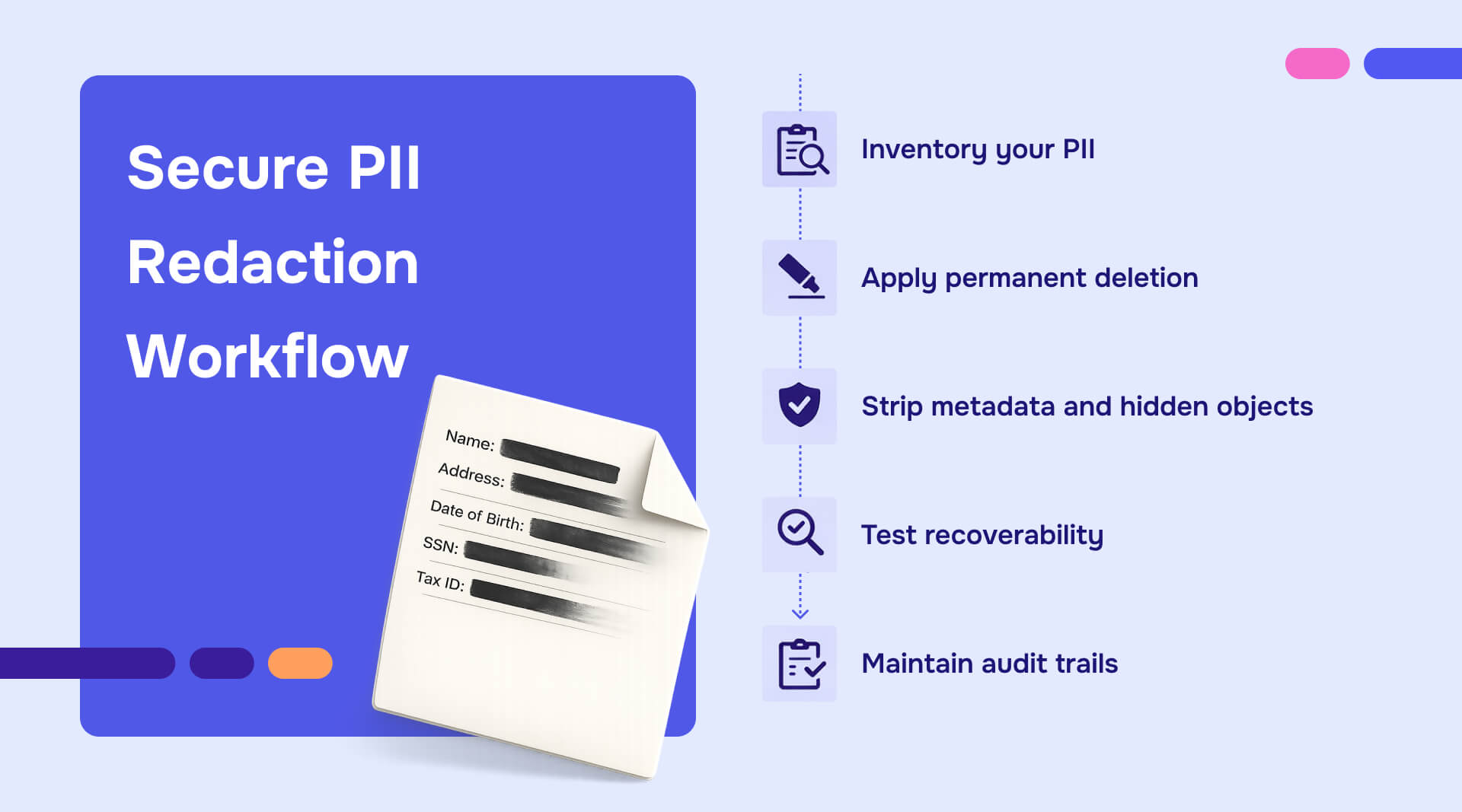
Step 1: Inventory your PII
NIST provides impact ratings for different types of PII - ow, moderate, and high risk based on potential harm from unauthorized disclosure. Social Security numbers and medical records rate as high impact. Email addresses typically rate as low impact, unless combined with other identifiers.
Catalog what types of PII your documents contain, where they appear, and what regulations govern them. You can't redact effectively if you don't know what you're looking for. It’s also crucial to inventory PII across all datasets to ensure comprehensive redaction, especially when handling large or growing collections of data.
Step 2: Apply permanent deletion
This is where most organizations fail. Using the highlight or drawing tools in standard PDF software doesn't remove content - it adds a visual layer on top of existing text.
Proper redaction requires tools that delete the underlying text completely. The text disappears from the document structure, not just from view. When someone tries to copy and paste the content, they get nothing. When they search the document, the redacted terms don't appear in results.
Step 3: Strip metadata and hidden objects
Open your document properties and review the metadata fields. Creator names, company information, edit histories, and comments all need removal before sharing documents externally.
Hidden objects require more sophisticated detection. Text boxes with white text on white backgrounds, objects covered by shapes, and content positioned outside the visible page area—these all remain in the file unless explicitly removed.
Step 4: Test recoverability
After redaction, test whether the PII is truly gone:
- Use your PDF reader's search function to look for redacted terms
- Copy the entire document and paste it into a text editor
- Check document properties for metadata
- Review the document in different PDF readers to ensure rendering consistency
If any of these tests reveal redacted information, your process failed.
Step 5: Maintain audit trails
Compliance requirements often mandate documentation of what was redacted, when, by whom, and under what authority. Manual redaction makes this documentation nearly impossible to maintain accurately.
Your audit trail should include the original document version, the redacted version, a log of all redactions applied, the user who performed each redaction, timestamps, and the legal or regulatory basis for each redaction. OMB M-07-16 specifically addresses these recordkeeping requirements for federal agencies.
Special considerations for images and scanned documents
When PII appears in images or scanned documents, you need OCR (Optical Character Recognition) to detect the text first, then blur or pixelate the visual content. Simple blackout boxes over images can sometimes be reversed with photo editing tools if the underlying pixels remain intact.
For scanned documents, OCR converts the image to searchable text, allowing you to identify PII locations. After identifying sensitive content, blur the image areas permanently rather than adding overlay shapes.
Key Features of PII Redaction Software
Modern PII redaction software must offer a robust set of key features to effectively protect sensitive data and ensure regulatory compliance.
An feature to consider is the option to replace PII with fictional data, such as substituting real names with placeholders like “John Doe,” or labels, such as “first name”, which helps maintain data integrity for downstream processes. Comprehensive audit trails are also vital, providing a clear record of every redaction action for compliance and accountability.
Machine learning capabilities further enhance PII detection and redaction accuracy, adapting to new data types and evolving threats. By choosing PII redaction software with these key features, organizations can streamline compliance, protect personal information, and confidently manage sensitive data across every file.
Another feature you may consider is the ability to handle multiple file formats, including PDFs, Word documents, images, and more. This can be helpful for organizations dealing with diverse data sources. Automated identification and redaction of PII allows the software to quickly and accurately detect and redact sensitive information without manual intervention.
Why manual redaction leaves you exposed
Most organizations still redact documents manually, using tools never designed for permanent data removal.
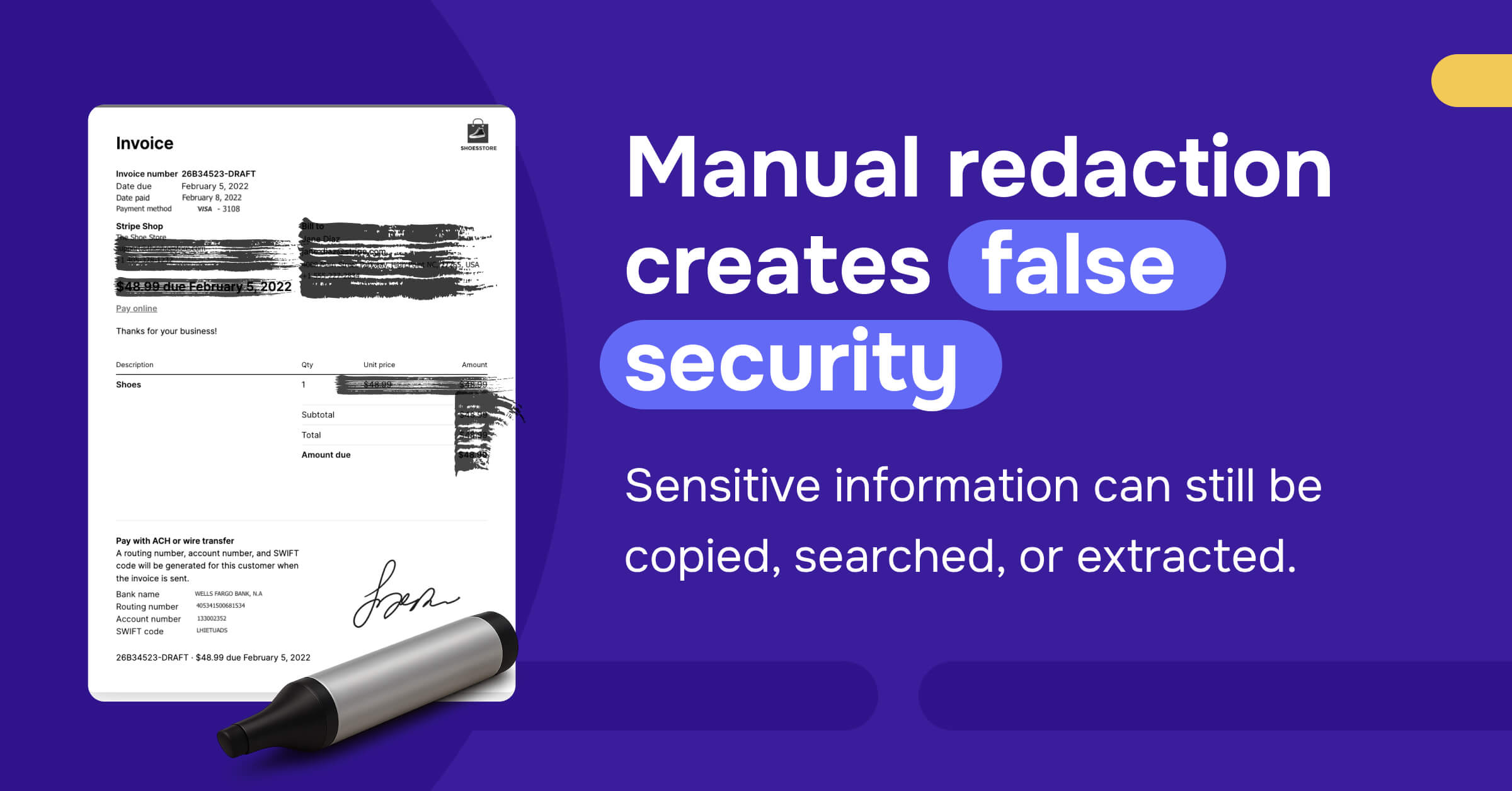
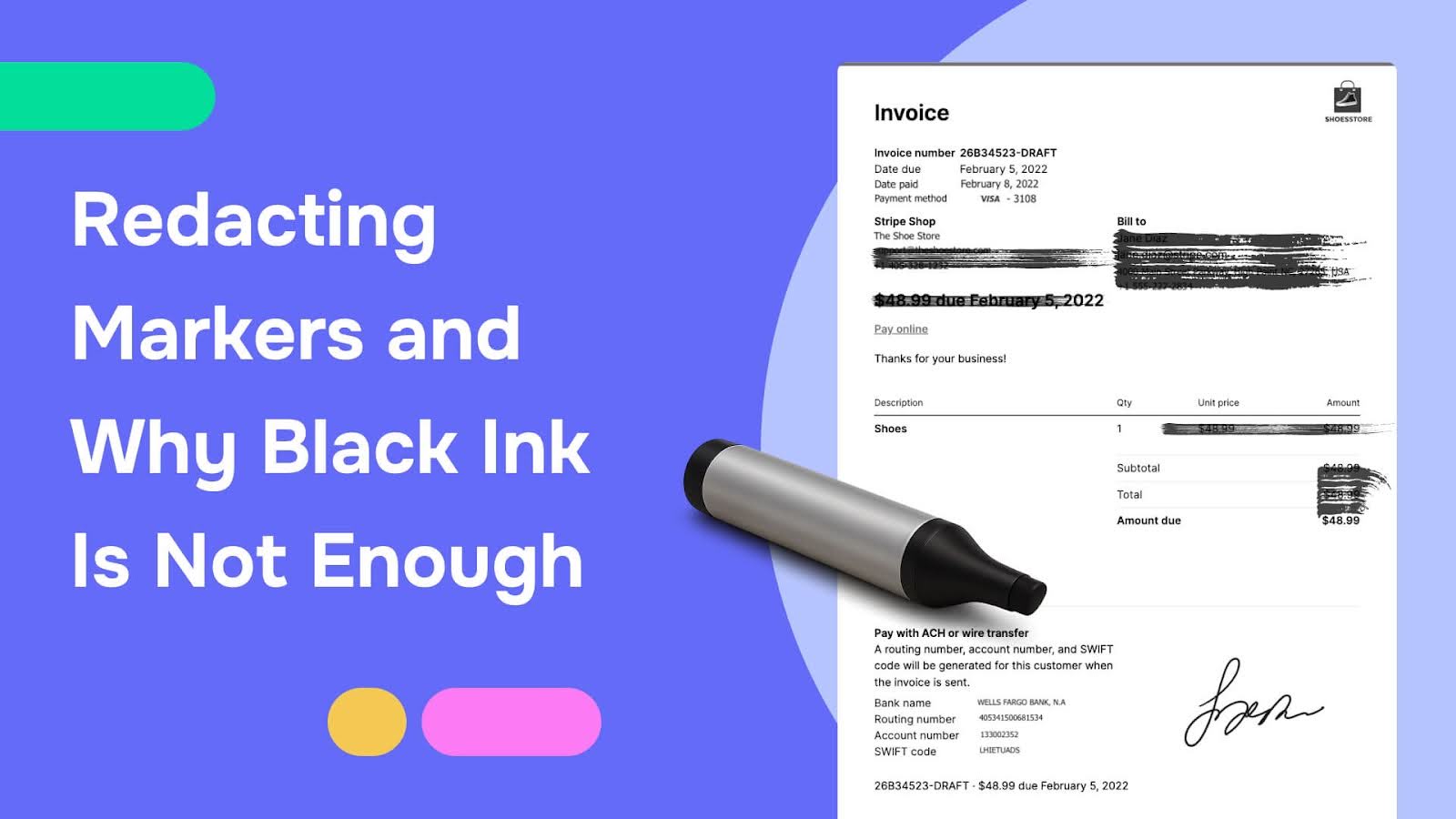
Black markers on paper documents don't provide permanent redaction - scanners with proper contrast settings can often read through the ink. The federal government learned this lesson decades ago when agencies started receiving FOIA requests for "unredacted" versions of documents where marker redactions failed.
PDF editing tools compound the problem. Drawing black boxes over text is the digital equivalent of using a marker - it looks redacted, but the underlying data persists. Every court filing, regulatory submission, and disclosure request that uses this method risks exposing the "hidden" information.
The metadata problem is worse. Most people don't think about document properties until a privacy breach forces them to. File creator names, company information, edit histories, comment threads, tracked changes - all of this remains in shared documents unless explicitly removed.
Manual tracking creates impossible audit requirements. When your team manually redacts hundreds of documents, how do you prove what was redacted from each file? How do you demonstrate that every instance of a particular SSN was found and removed? How do you show that the same standards applied to all similar documents?
You can't. Not defensibly. Not at scale.
The time cost alone should drive organizations toward automation. Legal professionals billing $300+ per hour spend that time manually searching documents for names, account numbers, and addresses. Paralegals spend days preparing document productions. Government agencies dedicate full-time staff to FOIA redactions.
98% of that time is wasted on work that automated systems handle better.
How Redactable solves PII redaction challenges
Redactable's AI-powered platform addresses every layer of the PII redaction problem.
The system detects PII across 40+ categories using advanced natural language processing and machine learning. Social Security numbers, phone numbers, email addresses, physical addresses, account numbers, medical record numbers, driver's license numbers, and international identification numbers - the AI finds them automatically, including variations, formats, and context-dependent identifiers.
Unlike visual masking tools, Redactable applies permanent redaction. The underlying text is deleted from the document structure, not covered. Metadata is stripped entirely. Hidden objects, transparent elements, and out-of-bounds content are identified and removed.
The platform operates entirely through web browsers - no software downloads, no version compatibility issues, no IT deployment friction. Legal teams access the system from office computers. Government workers redact documents from secure facilities. Insurance adjusters process claims from remote locations.
OCR handles scanned documents and images automatically. Upload a photographed contract or a faxed medical record, and the system converts it to searchable text before identifying sensitive information.
Automated PII redaction tools provide an efficient and secure way to handle sensitive information.
Redaction certificates provide the audit trail that regulators require. Every redaction includes a timestamp, user identification, content type, location, and reason code. Generate comprehensive reports showing exactly what was redacted from which documents, when, and under what authority. Export privilege logs for legal discovery with a single click.
The time savings are substantial. Documents that took hours to redact manually can be processed in minutes. Bulk operations handle entire folders simultaneously. The 98% time reduction isn't marketing language - it's the measured difference between manual document review and AI-powered automated detection.
Browser-based access means teams collaborate in real time. Multiple users review the same document simultaneously. Comments, task assignments, and approval workflows integrate directly into the platform. No more emailing files back and forth, losing track of versions, or wondering who reviewed which section.
Most importantly: Redactable's permanent redaction actually works. Copy and paste tests return nothing. Search functions find no redacted terms. Metadata is gone. The platform meets HIPAA, SOC 2 Type II, CJIS, and FIPS 140-2 security requirements.
Effective PII redaction practices include leveraging technology solutions to enhance data protection strategies.
Measuring the Effectiveness of PII Redaction
To ensure that PII redaction processes are truly effective, you should establish clear metrics and regularly evaluate your performance. Key performance indicators (KPIs) such as the number of data breaches prevented, the accuracy rate of PII detection, and the time saved through automated redaction provide valuable insights into the success of your redaction strategy.
Regular audits and compliance checks are essential for verifying that redaction processes are functioning as intended and that all identifiable information (PII) is adequately protected. Monitoring these KPIs not only helps organizations refine their redaction workflows but also builds customer trust by demonstrating a commitment to data protection and compliance.
Continuous assessment and improvement are crucial. By proactively identifying errors and addressing gaps in PII detection, you can stay ahead of evolving threats and regulatory requirements, ensuring that your sensitive data remains secure and compliant at all times.
Testing your current PII redaction process
Most organizations don't know whether their redaction methods actually work until a breach forces them to find out.
Take a recently redacted document from your files. Open it in your PDF reader and use the search function to look for terms you thought you'd redacted. Try searching for partial SSNs, last names, or account numbers. If anything appears in the search results, your redaction failed.
Copy the entire document and paste it into a text editor or word processor. Read through the pasted text. Can you see any of the information you redacted? If yes, you've been creating visually masked documents, not properly redacted ones.
Check the document properties. Look at the Author, Company, and Comments fields. Review the edit history if your PDF software displays it. How much information about your organization, your staff, and your document workflow is embedded in that metadata?
Share the file with a colleague and ask them to try the same tests. Different PDF readers sometimes render documents differently, revealing content that appeared properly redacted in your viewer.
If your documents fail any of these tests, every redacted file you've shared externally is potentially exposing protected information. Every legal filing, every FOIA response, every disclosed medical record, every consumer privacy request - all potentially vulnerable.
The regulatory exposure compounds over time. The longer you've used inadequate redaction methods, the more documents you've shared with persistent PII, and the larger your potential liability becomes.
Future of PII Redaction
The future of PII redaction is being shaped by rapid advancements in machine learning and automation, which are making PII detection and redaction more accurate and efficient than ever before. As new data types and formats emerge, redaction software will need to evolve to handle real-time data processing and integrate seamlessly with cloud-based storage solutions.
Regulatory requirements will continue to drive innovation, pushing organizations to adopt technologies that ensure both protecting personal information and maintaining regulatory compliance. Enhanced HTTPS protocols and sophisticated PII detection algorithms will become increasingly critical in preventing data breaches and securing sensitive information.
Automation will play a central role, enabling organizations to process large volumes of data quickly and accurately, while reducing the risk of human error. By investing in advanced PII redaction solutions and staying ahead of regulatory changes, organizations can ensure robust data security and compliance in an ever-changing digital landscape.
Moving forward: Making PII redaction truly defensible
PII redaction is permanent removal, not cosmetic masking. The underlying data must be gone, not hidden. Metadata must be stripped. Hidden objects must be identified and eliminated.
Federal regulations from NIST, HIPAA, DOJ, and FTC all require this level of rigor, with penalties reaching millions of dollars for violations. The average data breach now costs $4.88 million - largely because organizations treat redaction as a visual problem rather than a data security requirement.
Manual methods can't scale to meet modern compliance demands. The combination of regulatory complexity, document volume, time pressure, and audit trail requirements makes automation necessary rather than optional.
The question isn't whether your organization will eventually adopt automated PII redaction - it's whether you'll do it proactively or in response to a breach. Try Redactable for free today.